

Basic Word 2007 Reference screenshots (2)
Description Basic Word 2007 Reference
Struggling to Navigate Word 2007's Classic Interface in a Modern Workflow?
For professionals and students who still rely on the familiar, robust environment of Microsoft Word 2007, finding specific commands or advanced formatting options can disrupt your productivity. This mobile reference guide is designed as a dedicated, offline companion that puts the entire functionality of Word 2007 at your fingertips. It transforms the need to search through help menus or online forums into a streamlined, immediate lookup process, allowing you to maintain focus on your document creation and editing tasks without interruption.
Core Features and Reference Mechanics
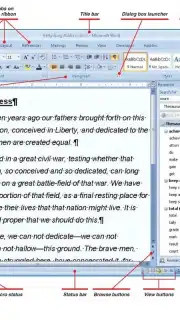
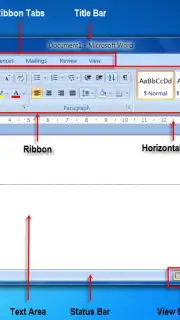
This application functions as a structured digital manual, organized for rapid access. It does not operate as a word processor itself but as a comprehensive guide to the standalone software. The core mechanics involve a searchable and categorized database of Word 2007's tools, dialog boxes, ribbon commands, and keyboard shortcuts. Users can navigate through hierarchical menus that mirror the actual software's structure or use keyword search to pinpoint instructions for tasks ranging from basic text formatting to utilizing mail merge or creating complex document templates. The analysis is based on the precise architecture of the 2007 Office suite, detailing steps for features like the Quick Access Toolbar customization, working with SmartArt, and managing document review comments.
Key Advantages of This Digital Reference
The primary strength of this utility lies in its focused utility and offline accessibility. The user experience is built for efficiency, removing the clutter of a full software suite to deliver instant answers. The visual presentation is clean and text-oriented, prioritizing readability and clear, step-by-step instructions over decorative graphics. Its performance is optimized for quick launching and seamless scrolling, ensuring the reference material does not become a bottleneck in your work process.
- Offline Command Database: Instant access to the full suite of Word 2007 features without requiring an internet connection, ensuring help is always available.
- Structured & Searchable Index: Navigate content through a logical table of contents or use precise keyword search to find specific functions and dialog box options rapidly.
- Detailed Step-by-Step Guides: Clear, sequential instructions for completing complex tasks like formatting styles, inserting references, or securing documents.
Get your bonus of uninterrupted productivity and master your documents. Download the mobile app now to have the definitive Word 2007 guide in your pocket.
Disclaimer: This is a reference guide for Microsoft Word 2007, a separate software product. The app requires download via the internet and may contain optional in-app purchases for additional content or ad removal. It is intended for general audiences but is most useful for users familiar with the Word 2007 environment. Data may be used for basic app functionality and analytics.
Information
| Version | 2.0 |
| Developer | KK Supervare |
| Updated | 17.03.2026 |
| Size | 30.39 MB |
| Package | com.korakot.wordooj.MSWORDREFERENCEVII |
| Signature | 119e0f1d6a4c322a1bd6ab0974e00dc4 |


