

Battery Calibration screenshots (2)
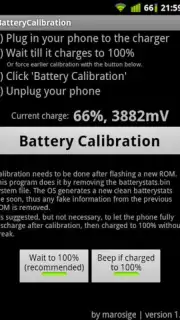

Description Battery Calibration
Your Phone's Battery is Lying to You. Here's How to Fix It.
You glance at your phone, and it shows a comforting 30% battery left. You relax, thinking you have plenty of time. Then, without warning, the screen goes black. It shuts down completely, leaving you stranded. This frustrating scenario is often not a hardware failure but a simple miscommunication. Your device's battery sensor has become uncalibrated, showing you an estimate that no longer matches reality. Over time, as charging cycles accumulate, the software that tracks your battery's charge level can drift, leading to inaccurate readings and unexpected shutdowns. This app provides a direct method to reset that conversation between your hardware and software, restoring truth to your battery percentage indicator.
Battery Calibration operates by performing a specific technical procedure to wipe the slate clean. The core function involves accessing and removing a key system file that stores historical battery data. Once this file is deleted, your Android operating system is prompted to generate a brand new, completely fresh version from scratch. This new file starts tracking your battery's performance from zero, without the burden of old, potentially corrupted data points. The result is a sensor that reports your remaining charge with significantly improved accuracy. It is crucial to understand that this process does not physically enhance your battery's capacity or extend its lifespan; lithium-ion batteries degrade chemically over time, and no software can reverse that. What this tool offers is clarity and predictability, replacing guesswork with reliable information so you can plan your day without fearing a sudden power loss.
What This Calibration Tool Delivers
- Resets your battery sensor by deleting the old stats file system-wide.
- Forces the Android OS to create a completely new, clean battery data file.
- Provides a more accurate and truthful battery percentage reading on your screen.
- Helps eliminate unexpected early shutdowns caused by sensor drift.
- Gives you a clear, factual understanding of your real remaining charge.
Consider downloading Battery Calibration if you're tired of your phone's battery gauge being unreliable. This is a straightforward utility for regaining trust in your device's most basic status indicator.
Download the Battery Calibration mobile app now.
Heads up: A successful calibration requires root access on your Android device. The procedure will not work on standard, non-rooted phones. The app itself is a focused tool and does not include battery-saving modes or performance boosters.
Information
| Version | 3.2 |
| Developer | IMobS |
| Requirements | Android Android + 4.4+ |
| Updated | 17.03.2026 |
| Size | 11.6 MB |
| Package | com.nema.batterycalibration |
| Signature | 8ea79a5345ef64a9a74c24a93b03a3b6 |
| Architecture | armeabi-v7a, x86, arm64-v8a, x86_64 |


