

Blender Tutorials screenshots (3)
Description Blender Tutorials
Your Creative Journey Starts Here
Imagine having a complete 3D animation studio in your pocket. You’ve seen stunning visual effects, intricate character models, and immersive game environments, and you’ve wondered how they’re made. The path from a blank canvas to a finished 3D masterpiece can seem daunting, filled with complex tools and endless menus. This is where your journey transforms. Blender Tutorials is designed to be your personal guide, demystifying the powerful, free Blender software and turning your creative vision into tangible digital art. No prior expertise is required—just the curiosity to create.
A Comprehensive Learning Hub for 3D Mastery
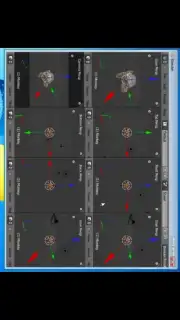
This application serves as a centralized, structured learning platform for Blender. It moves beyond simple overviews, providing detailed, step-by-step lessons that build your skills from the ground up. You begin with core fundamentals, understanding the 3D viewport, basic modeling, and essential navigation. The lessons then progressively introduce more sophisticated techniques, ensuring you develop a robust and versatile skill set. The content is curated to be directly applicable, allowing you to see the results of your learning in real-time as you follow along with the tutorials on your desktop software.
The curriculum is vast, covering every major pillar of 3D creation. You will learn the art of 3D modeling, constructing objects from simple shapes to complex characters. Texturing and materials are explored in depth, teaching you how to give surfaces realistic properties like metal, glass, or fabric. The sculpting tools are unlocked, allowing for organic, detailed modeling akin to digital clay. Beyond static images, you delve into animation, learning to rig characters and bring them to life with movement.
For those seeking cinematic quality, the app guides you through advanced simulations. You can learn to generate realistic fluid dynamics for water or lava, create billowing smoke and fire, and master soft-body and cloth physics. The integration of Blender’s powerful rendering engines is covered comprehensively, showing you how to light your scenes and produce stunning final images or video sequences. Furthermore, the app touches on Blender’s integrated video editing capabilities, enabling you to composite your rendered shots, add sound, and produce a polished final film.
Standout Features That Elevate Your Workflow
A particularly powerful aspect covered is Blender’s built-in game engine. This expands your creative potential from pre-rendered art to real-time, interactive experiences. You can learn the principles of creating simple games, interactive architectural visualizations, or other application prototypes directly within the Blender environment. The app’s design ensures seamless mental integration with the actual Blender software; you watch a lesson and immediately apply the technique, reinforcing knowledge through practice.
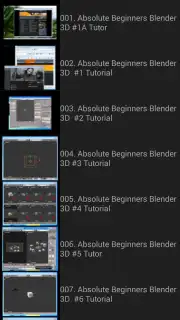
The user experience is streamlined for focus and efficiency. The interface presents lessons in a clear, logical order, making it easy to track your progress. This focused approach transforms learning from a chore into an engaging and rewarding process, empowering you to leverage Blender’s full potential and execute your creative ideas effectively.
- Foundational to Advanced Training: Structured lessons take you from absolute beginner concepts to professional-level techniques in modeling, sculpting, and animation.
- Dynamic Simulation Guides: Master complex visual effects with step-by-step tutorials on fluid, smoke, fire, and physics simulations for hyper-realistic results.
- Complete Rendering & Post-Production: Learn to use Cycles and Eevee rendering engines, and utilize Blender’s compositing and video editing tools to finalize projects.
- Interactive Creation with Game Engine: Unlock unique functionality by exploring tutorials on Blender’s game engine for creating real-time interactive content.
- Focused, Ad-Free Learning Environment: The experience is designed for immersion, allowing you to concentrate solely on skill acquisition without distractions.
Consider downloading Blender Tutorials to unlock a world of creative possibility. This app provides the structured knowledge and practical guidance needed to confidently navigate Blender and bring your most ambitious 3D projects to life.
Download the Blender Tutorials mobile app now.
Disclaimer: This application requires an internet connection to access tutorial content. The app provides educational guidance for the free, open-source Blender software, which must be installed separately on a computer. It is intended for general audiences with an interest in 3D creation. Data usage may apply depending on your connection when streaming video lessons. Always ensure your device meets the app's system requirements for optimal performance.
Information
| Version | 1.1.1 |
| Developer | Alebestor |
| Requirements | Android Android + 10+ |
| Updated | 17.03.2026 |
| Size | 2.53 MB |
| Package | alebestor.blender |
| Signature | 02e34c4537187ce916666b877229e988 |
| Architecture | armeabi, armeabi-v7a, mips, x86, arm64-v8a, mips64, x86_64 |


