

Bloco de Notas screenshots (1)
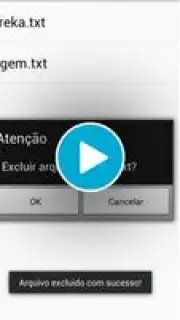
Description Bloco de Notas
From Scattered Notes to Organized Text Files: A Review of Bloco de Notas
In the daily workflow, whether drafting a grocery list, capturing a meeting summary, or composing a lengthy document, the need for a reliable, no-frills text editor on an Android device is a common scenario. Many default note-taking apps lack dedicated file management, leading to a disorganized collection of snippets. Bloco de Notas by Ecio addresses this by transforming your device into a structured text file workstation. This application functions as a portable document creator and manager, operating within the utility category of productivity tools. Its core design philosophy centers on direct access and systematic organization of plain text files, bypassing complex formatting for pure textual content management.
Core Functionality and User Interface Analysis
The application launches into a clean, text-focused environment. The primary user interface is divided into logical sections for file creation, editing, and catalog management. Navigation is handled through a persistent menu or action bar, providing clear pathways to all major functions. The absence of visual clutter or embedded web content during core operations is a noted design choice, prioritizing screen real estate for the text itself. File handling is local and device-centric, with all operations performed on the user's storage without mandatory cloud synchronization, which can be preferable for offline work or data privacy considerations.
Detailed Feature Breakdown and Workflow
File Creation and Naming Protocol
Initiating a new document is a two-step process: selecting the 'new file' action and immediately defining a filename. This enforced naming convention at the point of creation is a critical organizational feature, preventing the accumulation of untitled documents. The system then generates a standard .txt file within its dedicated directory. This methodology ensures that every piece of text is treated as a discrete, savable, and retrievable asset from its inception, establishing order from the first keystroke.
Editing Environment and Text Manipulation
The editing screen presents a full-screen text field. A key operational detail is that opening an existing file for editing does not require re-entering the filename; changes are saved directly to the original file upon command. The editor includes practical utilities such as a text selection tool and a context menu for cut, copy, and paste operations. While focused on plain text, the editor efficiently handles basic text manipulation, making it suitable for drafting, editing code snippets, or maintaining logs where formatting is not a requirement.
Comprehensive File Management System
All user-created files are accessible through a centralized file list view. This list acts as a dashboard, displaying all saved documents by name. From this interface, users can directly launch a file into edit mode or permanently delete it. The application provides a clear warning regarding the permanence of the delete function. Notably, all files are physically stored in a dedicated BlocodeNotas folder on the device's SD card or internal storage, allowing for advanced file management through other tools if needed and ensuring data portability.
Storage Architecture and Data Access
The application's storage model is transparent and file-system based. By saving documents as standard .txt files in a predictable location, it guarantees that your data remains accessible outside the app. This is a significant advantage for users who may wish to transfer notes to a computer, back them up manually, or process them with other software. The app effectively serves as a focused viewer and editor for this specific directory, marrying convenience with user-controlled data ownership.
- Streamlined plain text file creation
- Direct editing with instant save
- Centralized file list for management
- Local storage in a dedicated folder
Get your organized text workflow started and claim your advantage now by downloading Bloco de Notas.
Internet required. IAP available.
Information
| Version | 1.0.2 |
| Developer | Ecio |
| Requirements | Android Android + 2.3, 2.3.1, 2.3.2+ |
| Updated | 17.03.2026 |
| Size | 494.4 KB |
| Package | br.com.ecio.blocodenotas |
| Signature | c42668df5f434c0f14c3e90ff1ec081f |


