


BlueMail screenshots (9)
Description BlueMail
A Unified Inbox for the Disorganized Professional
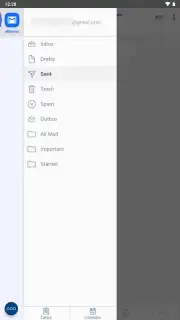
For anyone managing multiple email accounts across work, personal, and side projects, the daily ritual of switching between apps or browser tabs is a familiar drain on focus. The promise of a single, unified inbox has long been a holy grail for digital organization. BlueMail approaches this not merely as an aggregator, but as a centralized command center designed to streamline the flow of information from disparate sources into a single, manageable stream. Its core proposition is the elimination of app clutter, replacing a folder of individual mail clients with one intelligent application that handles protocols and interfaces, leaving the user to handle only the content.
Mechanics of a Centralized Communication Hub
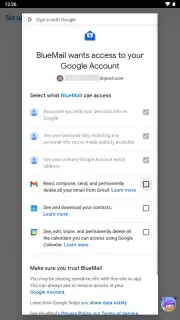
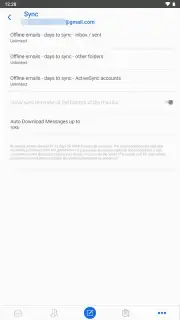
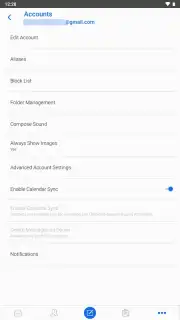
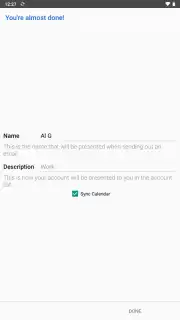
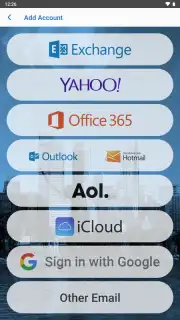
The application’s architecture is built on broad compatibility, supporting major services like Gmail, Yahoo, Office 365, AOL, Outlook, iCloud, and Zoho by default. Its true flexibility, however, lies in its capacity to integrate virtually any email account via IMAP, POP3, and Exchange protocols, including private servers often used by smaller businesses or legacy systems. This makes it a viable solution for users with niche or custom email setups. A critical operational feature is the user-defined synchronization period. While the default pulls in the last two weeks of correspondence, this can be expanded to an unlimited timeframe—a practical tool for those who are less organized or who need to retain deep archives without slowing the initial sync process. Synchronization itself is powered by push notifications, ensuring near-instant alerts for new messages across all connected accounts without manual refreshing.
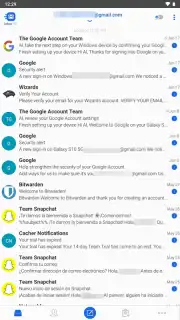
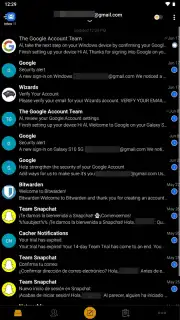
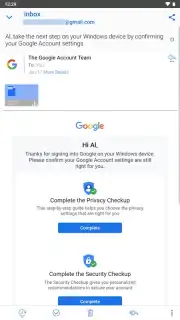
The interface presents this consolidated data in a clean, compact layout that minimizes visual noise and maximizes information density. It supports multiple viewing themes, including a standard light mode, a dark theme, and a dedicated AMOLED-optimized dark theme that uses true black backgrounds to conserve battery life on compatible device screens. Beyond viewing, the app incorporates basic task management functions, allowing users to schedule reminders for follow-ups and flag emails as favorites for later review, embedding these actions directly within the email management workflow.
- Universal Account Integration: Consolidate Gmail, Outlook, iCloud, private servers, and more into one unified inbox using IMAP, POP3, and Exchange.
- Customizable Sync & Instant Alerts: Define unlimited email sync history and receive real-time push notifications for all new messages across every account.
- Adaptive Visual Interface: Choose from a light theme, dark theme, or a battery-saving AMOLED black theme within a compact, information-dense layout.
Download BlueMail Mobile App Now
Stop juggling multiple inboxes and start commanding your communications from a single, powerful hub. This is not just another email client; it's a productivity overhaul. For a limited time, new users receive exclusive access to the full feature set with the Turbo benefits enabled. Transform your chaotic email workflow into a streamlined process today—download BlueMail now before this introductory access period concludes.
Disclaimer: This application requires an active internet connection for full functionality. The app may offer in-app purchases (IAP) for premium features or subscriptions. Data usage charges may apply depending on your network plan and sync settings. Please check the app's listing for age ratings and review its privacy policy to understand data collection and usage practices. The developer is not responsible for email service outages or compatibility issues with specific provider configurations.
Information
| Version | 2.2.261 |
| Developer | Blue Mail Inc. |
| Requirements | Android Android + 7.0+ |
| Updated | 17.03.2026 |
| Size | 127.2 MB |
| Package | me.bluemail.mail |
| Signature | 41b16a80b1b3402d09f8f41b666e9b4f |
| Architecture | armeabi-v7a, arm64-v8a |




