


Bluetooth File Transfer screenshots (7)

Description Bluetooth File Transfer
Unlock Full Bluetooth File Transfer Capabilities on Your Android Device
Certain smartphone manufacturers impose restrictions on Bluetooth file types for security, limiting user flexibility. This application provides a technical solution to bypass those system-level blocks, enabling unrestricted transfer of any file format between devices. It operates as a dedicated file management tool that restores full Bluetooth functionality, ensuring compatibility across diverse Android implementations and manufacturer customizations.
Core Functionality and Interface Design
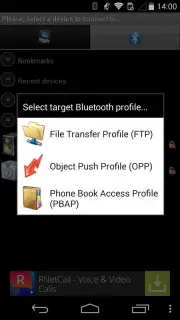
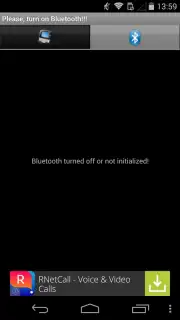
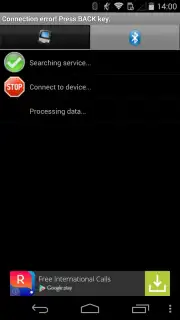
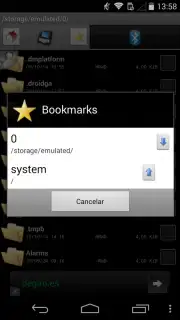
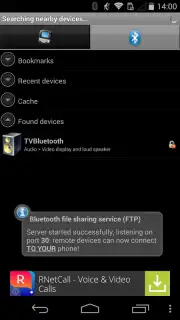
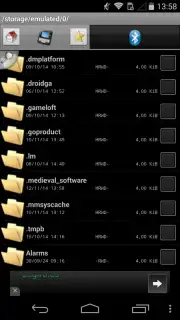
The application features a dual-pane interface for streamlined file operations. The left pane displays a hierarchical tree view of all local folders and files on your Android device’s internal and external storage. The right pane lists all discoverable and previously paired Bluetooth devices within range. File transfer is executed through a direct selection process: users navigate the file tree, select one or multiple items, and then choose a target device from the paired list. Connection management follows standard Bluetooth pairing protocols, requiring Bluetooth activation on both the sending and receiving devices.
Extended Features for Efficient File Management
Beyond basic transfer, the application includes utilities for handling file groups. It integrates a compression function that packages multiple selected files into a single archive, simplifying the transfer of document sets or media collections. A dedicated home screen widget is provided for one-touch Bluetooth activation, bypassing the need to navigate through the system settings menu. The application also supports background transfer operations and maintains a transfer history log for monitoring previous activities.
- Bypass Manufacturer Restrictions: Overrides system-level Bluetooth file type blocks to enable transfer of any format, including documents, APKs, and media files.
- Dual-Pane File Manager: Presents a local file system tree and a paired Bluetooth device list in a split-view for rapid source-and-destination selection.
- Batch File Compression & Transfer: Archives multiple files into one package for efficient bulk sending and includes a home screen widget for instant Bluetooth toggling.
We suggest trying Bluetooth File Transfer for direct control over your device's Bluetooth capabilities, particularly when standard system options are limited. Consider downloading it to handle unrestricted file exchanges between Android devices, computers, or other Bluetooth-enabled hardware.
Technical Disclaimer: This application requires an active internet connection for initial functionality verification and may contain optional in-app purchases for premium features like Turbo mode. It requires Bluetooth hardware and appropriate permissions to access device storage and location (for Bluetooth device discovery). Data usage is minimal and limited to operational overhead. User discretion is advised regarding the transfer of copyrighted or sensitive materials.
Information
| Version | 5.67 |
| Developer | Medieval Software |
| Requirements | Android Android + 4.4+ |
| Updated | 17.03.2026 |
| Size | 1.84 MB |
| Package | it.medieval.blueftp |
| Signature | 6e3c70260aaee2eecb2dfa5ecbfcc820 |
| Architecture | universal |


