

Broloader Video Downloader screenshots (18)

Description Broloader Video Downloader
Imagine you've just discovered a captivating video on a social media feed or a tutorial on a niche website. The desire to save it for later, to watch offline during your commute, is immediate. Yet, the platform offers no download button, leaving you reliant on a stable internet connection. This is the precise gap that Broloader Video Downloader fills, functioning not merely as a download utility but as a specialized web browser engineered to capture media directly from the source page. It transforms your mobile device into a portable media library, granting you ownership over the content you discover across the vast expanse of the web, with the notable and legally compliant exception of YouTube.
Core Functionality and User Experience
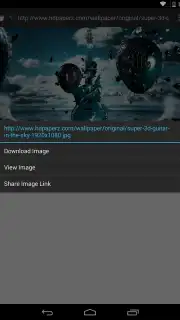
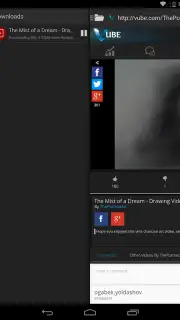
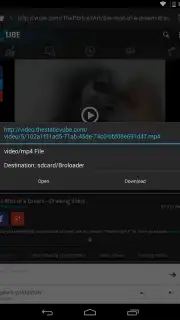
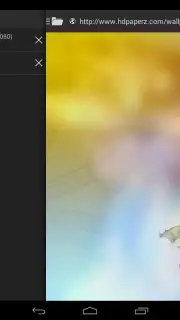
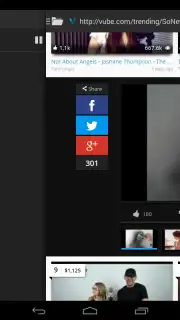
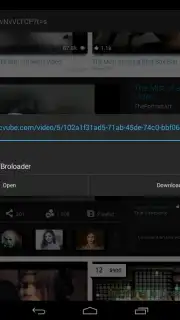
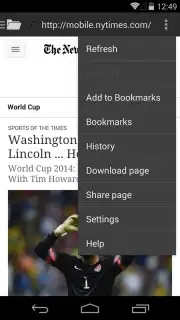
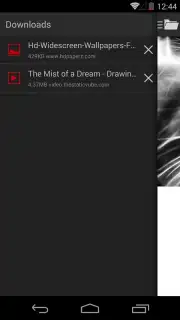
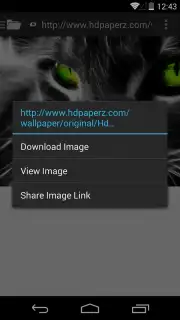
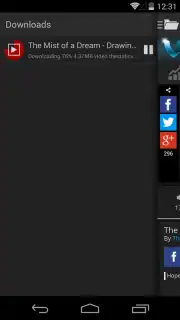
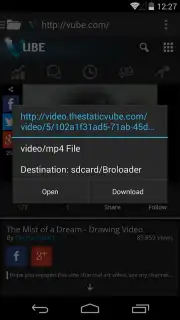
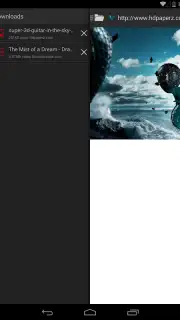
Broloader operates on a remarkably straightforward principle: it is a dedicated browser with integrated media detection. You navigate to any website as you normally would. Upon encountering a video or image you wish to save, a simple long-press on the element triggers a contextual menu, presenting a direct download option. This bypasses the need for complex copy-pasting of URLs into separate services. The application handles the background processes of identifying the media stream and saving it to your device's local storage. A dedicated download manager, accessible via a sidebar menu, provides a clear overview of all your downloads, displaying real-time transfer speeds and organizing your successfully acquired files for immediate playback or viewing without requiring an internet connection.
Key Features and Practical Advantages
The utility of Broloader is defined by its focused feature set, which prioritizes efficiency and a clean user experience. The absence of intrusive banner or video advertisements within the app interface is a significant advantage, preventing interruptions during browsing or downloads. This ad-free environment is often tied to its optional 'Turbo' service, which may enhance performance. The app's primary strength is its extensive website compatibility, supporting a vast array of video platforms, social networks, and personal blogs—essentially any site where media is publicly streamed. It effectively converts your smartphone into a versatile tool for archiving educational content, memorable clips, or music videos, provided they are sourced from permissible sites.
- Ad-Free Browsing & Download Interface: Experience uninterrupted media hunting and downloading without disruptive pop-ups or banner ads cluttering the process.
- Universal Website Compatibility: Download videos and images from virtually any website you can visit, excluding YouTube due to its terms of service.
- Integrated Download Manager with Speed Metrics: Monitor all your downloads in one place, with clear visibility on file progress and real-time download speeds.
This tool is for the pragmatic user who values direct control over their digital content. It executes a single task with notable efficacy, removing the friction between finding media online and saving it locally. If your routine involves collecting reference videos, preserving fleeting social media posts, or building a personal offline collection from various corners of the internet, this application provides a streamlined pathway to do so.
Download Broloader Video Downloader now and start building your personal offline media library today! Don't wait—get it immediately!
Internet required. IAP available.
Information
| Version | 2.1.2 |
| Developer | Broloader |
| Requirements | Android Android + 4.0.3, 4.0.4+ |
| Updated | 17.03.2026 |
| Size | 1.94 MB |
| Package | com.broloader.android.app |
| Signature | 0d07bb06fc68b427ef6d91c175f527c2 |
| Architecture | universal |


