


Brother Print Service Plugin screenshots (5)
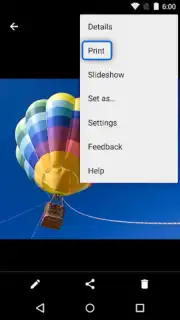
Description Brother Print Service Plugin
Direct Mobile Printing Without Compromise
Managing documents on a mobile device often creates a disconnect when you need a physical copy, requiring cumbersome file transfers or reliance on specific, often unreliable, cloud services. The Brother Print Service Plugin eliminates this workflow friction by establishing a direct, standardized printing channel from your Android device to compatible Brother printers on the same network.
Core Functionality and Integration
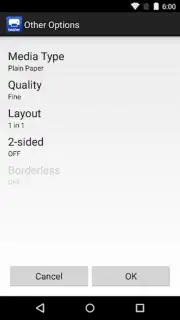
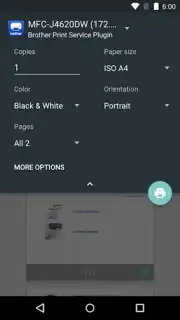
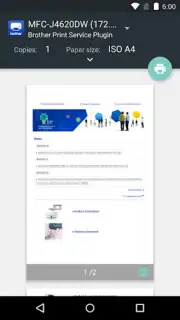
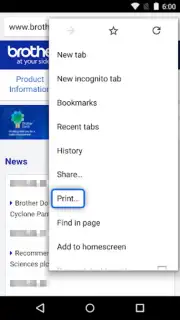
This utility operates as a background system service, seamlessly integrating with the standard Android print framework. Once installed and configured, it becomes available as a print option within any application that supports the native Android print menu, including document viewers, email clients, web browsers, and gallery apps. The plugin handles the communication protocol translation, allowing your device to send print jobs directly to supported Brother laser, inkjet, and label printers without requiring the files to first be routed through a separate proprietary application. Configuration involves selecting your target printer from a discovered list on the local Wi-Fi network and setting it as the default output, after which printing becomes a consistent two-tap process from virtually any app.
Operational Advantages and Reliability
The primary strength of this plugin is its system-level integration, which provides a uniform and reliable printing method across the entire Android ecosystem. It removes the dependency on individual app developers to implement custom print functions, ensuring consistent output formatting and printer command processing. The utility is designed for stability and low resource consumption, running only when activated by a print job. For users with newer Brother printers featuring NFC touch-to-print technology, the plugin can facilitate an even quicker connection setup, though its core value remains in providing a robust, always-available network printing solution that just works.
- Universal App Compatibility: Enables printing directly from any application that supports the standard Android share or print menu.
- Direct Network Communication: Sends print jobs over Wi-Fi without intermediate cloud servers or a dedicated host computer.
- Simplified Printer Management: Discovers and manages compatible Brother printers on your network from a centralized Android system setting.
Download the Brother Print Service Plugin now and enable professional-grade mobile printing directly from your device!
Requires a compatible Brother printer and an internet connection for initial setup and driver updates. Operation typically uses a local Wi-Fi network.
Information
| Version | 1.16.1 |
| Developer | Brother Industries, Ltd. |
| Requirements | Android Android + 7.0+ |
| Updated | 17.03.2026 |
| Size | 42.43 MB |
| Package | com.brother.printservice |
| Signature | f7d93b3b11641512fe75a6b9f9d6fff2 |
| Architecture | armeabi-v7a, x86, arm64-v8a, x86_64 |


