

C Locker screenshots (9)
Description C Locker
Looking for a way to transform your Android's static lock screen into a dynamic, personalized command center? C Locker is a specialized utility that moves beyond basic wallpaper changes, offering deep, widget-driven customization and robust security features directly on your lock screen. It functions as a comprehensive overlay system, granting you granular control over information display and access methods before you even unlock your device. This review examines its mechanics, from foundational free features to the extensive toolkit unlocked in the professional version, providing a clear analysis of its capabilities for serious Android personalization.
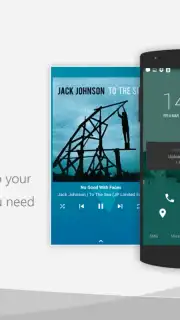
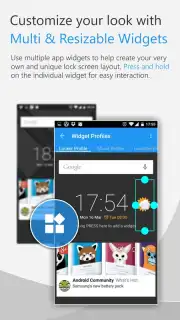
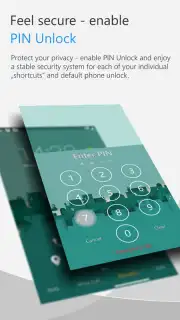
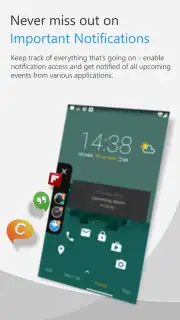
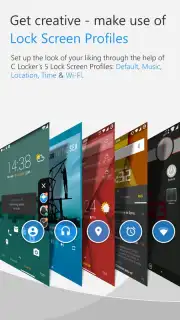
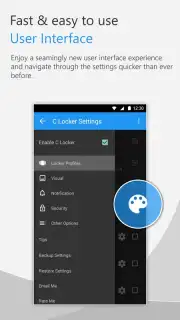
The application operates by replacing your standard lock screen with a fully configurable interface. The free version establishes a functional base layer, allowing you to display critical notifications for missed calls, SMS, and Gmail through standard widgets. Customization is managed via scenario-specific profiles, such as default, music, or location-based modes, enabling the lock screen to adapt contextually. Users can integrate one application widget, modify the visual theme by hiding the status bar, and apply custom icon packs. The core security is handled by multiple methods, including a pattern unlock and a unique selfie-capture security feature that takes a photo after failed access attempts. For devices with compatible hardware, such as the Samsung Galaxy S series fingerprint sensor, it adds a layer of integrated biometric convenience.
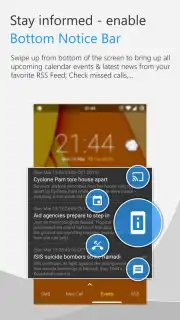
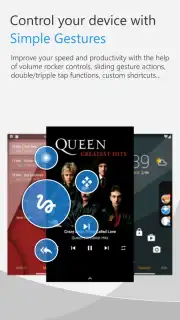
Upgrading to the professional version, C Locker Turbo, fundamentally expands its scope from a customizer to a powerful lock screen automation platform. It removes advertisements and unlocks the ceiling on widget integration, permitting up to three simultaneous application widget profiles and over thirty customizable shortcut launchers. This allows for the creation of intricate, information-dense screens tailored for productivity. Advanced controls include pin-protected shortcuts for sensitive actions, granular notification management from any app, and the integration of live RSS feeds from global news sources. Interactive control is significantly enhanced with comprehensive gesture mapping and dedicated music playback management through volume key gestures, turning the locked device into an interactive tool without compromising security.
Detailed Feature Analysis
- Widget & Shortcut Framework: Supports multiple widget profiles with over 30 customizable app shortcuts for instant access.
- Adaptive Scenario Profiles: Implements location-based, music, and default profiles that auto-switch the lock screen layout.
- Multi-Layer Security: Combines pattern unlock, selfie-capture security, and Samsung Galaxy S series fingerprint sensor support.
- Advanced Notification Hub: Aggregates and controls alerts from calls, SMS, Gmail, and all third-party applications.
- Interactive Media & Gesture Control: Features volume key music playback control and fully customizable touch gestures.
The professional tier delivers a unified, highly personalized lock screen configuration engineered for both heightened efficiency and reinforced security, offering a level of detail typically reserved for full launcher applications.
Don't wait to reclaim control over your device's first impression. Download C Locker now and start building your ultimate Android lock screen today!
Internet required. IAP available.
Information
| Version | 8.3.6.8 |
| Developer | astoncheah |
| Requirements | Android Android + 4.1, 4.1.1+ |
| Updated | 17.03.2026 |
| Size | 7.35 MB |
| Package | com.ccs.lockscreen |
| Signature | d4716a7157b1d90f369de1833c0d6ea5 |
| Architecture | universal |


