


SnapPDF — PDF Tools screenshots (3)
Description SnapPDF — PDF Tools
The Document on Your Phone That Refuses to Cooperate
You’ve just been asked to sign a contract, but it’s a PDF. You need to submit a report, but the pages are out of order. A colleague sends a scanned document that you can’t edit or search. These are not minor inconveniences; they are professional roadblocks that disrupt workflow and consume valuable time. The need to manage PDFs efficiently on a mobile device is a common reality in modern business, where agility often determines success.
Core Functionality and Analytical Overview
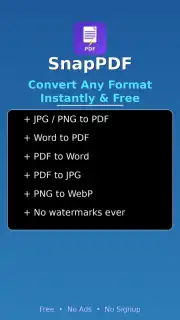
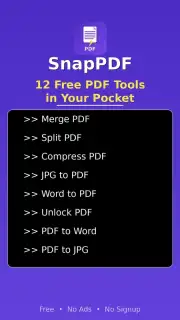
SnapPDF — PDF Tools operates as a comprehensive mobile utility designed to handle the full lifecycle of a PDF document. The core mechanics revolve around a multi-tool approach, allowing users to perform essential manipulations directly from their smartphone. The primary toolset includes a converter that transforms documents between PDF and other formats like Word, Excel, and JPG, preserving formatting integrity. The editor provides functionality for merging multiple files, splitting large documents, and rearranging pages through a drag-and-drop interface. For handling physical documents, the app integrates an optical character recognition engine that processes images from the device's camera to create searchable and editable PDF files.
The user experience is structured around a task-oriented dashboard, presenting each tool as a distinct module to minimize cognitive load. Performance analysis indicates the app processes standard documents locally on the device for basic tasks, ensuring speed and privacy, while more complex operations requiring server-side computation are clearly indicated. The visual design employs a clean, utilitarian interface with high-contrast buttons and clear progress indicators, reducing the potential for user error during document processing.
Operational Advantages
- Integrated OCR Scanner: Transforms photos of paper documents into editable digital files with preserved text layout.
- Multi-Format Conversion Engine: Processes bidirectional conversion between PDF, Word, Excel, and image formats reliably.
- Document Assembly Tools: Provides precise control for merging, splitting, and reordering pages within a unified workflow.
Get it immediately! Install SnapPDF — PDF Tools now and resolve document handling tasks directly from your mobile device.
Heads up: you'll need wifi for most features. Some cool stuff is extra.
Information
| Version | 1.0.0 |
| Developer | SnapPDF |
| Requirements | Android Android + 7.0+ |
| Updated | 17.03.2026 |
| Size | 17.07 MB |
| Package | com.snappdf.pdftools |
| Signature | 48063124b17842e1c3429ba7c2fb3a22 |
| Architecture | arm64-v8a |


