

CAD Touch Free screenshots (13)
Description CAD Touch Free
A Professional-Grade CAD Application Engineered for Mobile Fieldwork
CAD Touch Free establishes itself as a sophisticated mobile CAD solution designed to meet the demands of professionals in architecture, engineering, construction, and interior design. This application bridges a critical gap in the workflow by delivering a substantial subset of desktop CAD functionality directly to a smartphone or tablet, enabling precise drafting, viewing, and measurement tasks to be performed on-site without a laptop. Its core proposition is the translation of complex CAD operations into an intuitive multi-touch interface, effectively turning a mobile device into a legitimate technical drafting tool for field modifications, client presentations, and quick design iterations.
Core Functionality and Operational Analysis
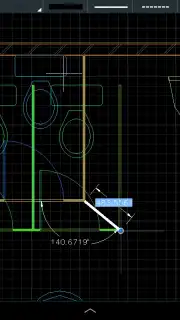
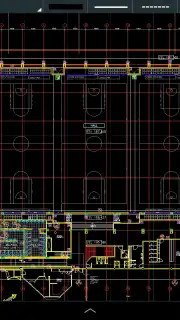
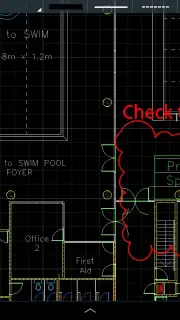
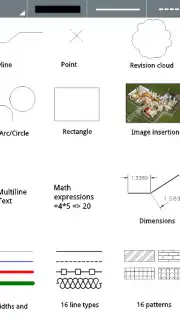
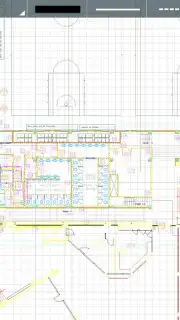
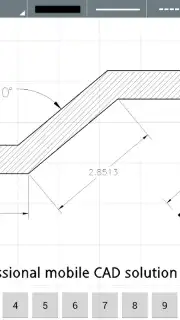
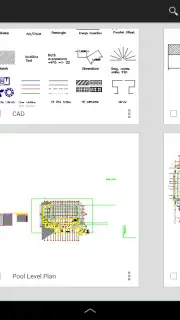
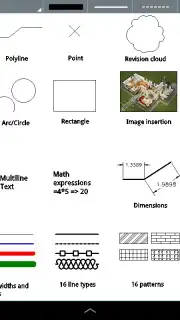
The application operates as a viewer and editor for DWG files compatible with formats up to AutoCAD™ 2013. Its environment supports the creation and manipulation of fundamental geometric entities, including lines, polylines, rectangles, circles, and arcs. Editing is facilitated through a suite of standard modify commands such as trim, erase, mirror, and offset. For dimensional clarity, it implements smart dimensioning tools and revision clouds. A significant operational feature is the inclusion of an extensive, editable object library, which allows users to insert standard symbols and components into their drawings, streamlining the drafting process. The software functions as a fully offline tool, requiring no internet connection for core drafting and editing tasks, which is crucial for remote job sites.
The unit system support is comprehensive, catering to both decimal and imperial measurement standards, with specific accommodation for architectural units (feet and inches). This flexibility ensures global applicability across different industry standards. The interface is designed for screens as small as 4.0 inches, though performance is contingent on available device RAM; closing background applications is recommended for handling complex drawings. The free version integrates dynamic, context-aware learning aids to accelerate user proficiency. It is important to note the version differentiation: while the free app allows for drawing creation and editing, the ability to save or open DWG files is a functionality reserved for the separate, paid Pro version upgrade.
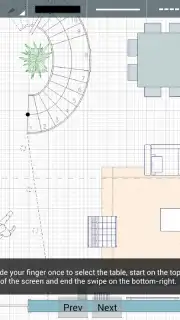
- Multi-Touch DWG Editing: Directly create and modify lines, shapes, and polylines using intuitive touch gestures, replicating desktop CAD precision on a mobile interface.
- Comprehensive Unit & Measurement Support: Work seamlessly in decimal or imperial systems, including full architectural feet and inches, with smart dimensioning tools for accuracy.
- Offline Object Library & Tools: Access a built-in, editable symbol library and use advanced edit commands like trim and mirror without requiring an active internet connection.
This application positions itself as a practical field companion for technical professionals, merging portability with serious drafting capabilities. The learning curve is mitigated by integrated tutorials, though users should be aware that advanced file management and direct support channels are limited, directing them to rely on in-app documentation.
Download CAD Touch Free for mobile now and transform your smartphone into a professional drafting station today!
Disclaimer: This application requires a device with a minimum 4.0-inch screen and sufficient RAM for optimal performance. It may contain in-app purchases to unlock the Pro version for full DWG file save/open functionality. The app operates offline but may require internet access for initial download and accessing certain tutorials. Data usage may apply depending on your download method. User support is primarily provided through in-app documentation. Always ensure your device meets the specified system requirements.
Information
| Version | 5.0.9 |
| Developer | cadTouch Software |
| Requirements | Android Android + 4.0.3, 4.0.4+ |
| Updated | 17.03.2026 |
| Size | 41.71 MB |
| Package | com.cadTouch.androidTrial |
| Signature | 5ee3533e40e9e46b3b9fed33ab17330b |
| Architecture | armeabi-v7a |


