


CameraFi Studio screenshots (17)



Description CameraFi Studio
What if your smartphone could capture studio-grade video and photos without the complexity of professional gear?
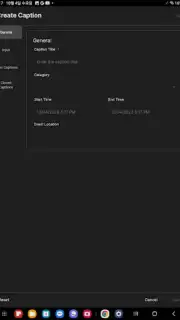
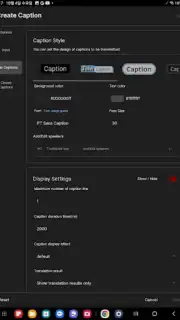
CameraFi Studio transforms your Android device into a multi-functional production tool, bridging the gap between mobile convenience and desktop-level control. It functions primarily as a high-fidelity webcam, streaming a clean, uncompressed video feed directly to your computer via USB or Wi-Fi, eliminating the compression artifacts typical of built-in camera apps. Beyond streaming, it serves as a sophisticated manual camera application, granting granular control over ISO, shutter speed, focus, white balance, and audio gain. A standout feature is its support for live overlays, allowing you to display your smartphone's screen, front camera feed, or custom images picture-in-picture during streams or recordings, which is invaluable for tutorials, reactions, or commentary. The app also provides robust monitoring tools, including audio level meters, a histogram, and focus peaking, giving you precise technical oversight in real-time.
Core Mechanics and Analytical Workflow
The operational premise is deceptively simple: establish a stable connection between your phone and computer to leverage its superior camera sensor. In practice, the app offers a depth of control typically reserved for dedicated software. The manual video mode allows you to lock exposure and focus, preventing the jarring auto-adjustments mid-shot that plague native camera apps. For content creators, the ability to record high-bitrate video directly to the phone's storage while simultaneously streaming a clean feed to broadcasting software is a significant technical advantage, creating instant backups and a high-quality master file. The audio pipeline is equally professional, offering options to use the device's internal microphones, an external USB microphone connected to the phone, or to channel desktop audio into the stream. This turns a smartphone into a versatile, all-in-one audio/video capture device.
Key Advantages for the Discerning User
The primary strength of CameraFi Studio lies in its uncompromising approach to video quality and low-latency performance. By utilizing a direct USB connection, it achieves a stability and image clarity that wireless solutions struggle to match. The user interface, while feature-rich, is logically organized, placing critical manual controls and monitoring tools within easy reach without cluttering the viewfinder. Its utility extends across numerous scenarios: it's a superior webcam for video conferencing, a reliable capture card alternative for live streaming on platforms like OBS or Zoom, and a powerful standalone camera app for on-the-go filming. The developer's focus on removing the watermark in its core functionality and providing a clean output underscores its professional orientation.
- Uncompressed USB/Wi-Fi video streaming
- Full manual camera & audio controls
- Live picture-in-picture overlay support
- Professional monitoring tools included
Stop compromising on your video quality with basic solutions. Transform your smartphone into your most powerful creative tool today.
Download CameraFi Studio now and unlock professional streaming and recording in minutes!
Disclaimer: This application requires a stable internet connection for initial setup and specific streaming features. Some advanced functionalities may require in-app purchases. Please be aware of your mobile data usage when operating over cellular networks. The app is intended for general audiences; parental guidance is suggested for younger users. Continued use of background location and audio services may decrease battery life.
Information
| Version | 1.0.8.0704 |
| Developer | Vault Micro, Inc. |
| Requirements | Android Android + 5.0+ |
| Updated | 17.03.2026 |
| Size | 6.31 MB |
| Package | com.camerafi.studio.twa |
| Signature | 8f942370cfa88b54babd74dec3341faf |
| Architecture | universal |


