


CamScanner screenshots (11)

Description CamScanner
Transform Your Phone Into a Powerful Document Scanner
Stop wasting time with bulky office equipment or struggling with poor-quality camera shots. Your smartphone already has everything you need to create crisp, professional digital documents from any piece of paper you encounter. Imagine needing a digital copy of a contract, a whiteboard brainstorm, or a faded receipt, and having it ready to share in under a minute. This is the reality CamScanner delivers, turning your device's camera into a sophisticated scanning hub that fits in your pocket. The days of hunting for a physical scanner are over; your most important tool is already in your hand.
From a Simple Photo to a Polished Digital File
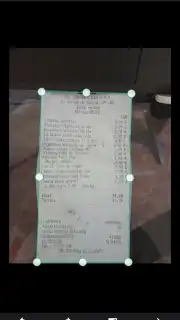
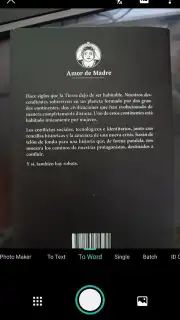
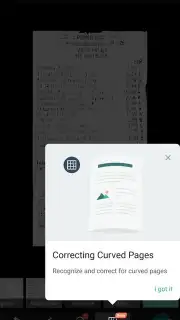
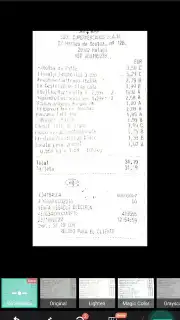
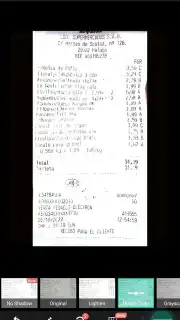
The process begins the moment you point your camera at a document. You are not just taking a picture; you are initiating a smart capture. The app guides you to position the page, automatically detecting its edges to ensure a perfect crop. Once captured, the powerful processing engine takes over. It analyzes the image in seconds, correcting perspective skew, adjusting brightness and contrast, and removing shadows or glare that often plague quick photos. The result is a clean, flat document image as if it were produced by a high-end scanner, not a smartphone in variable lighting.
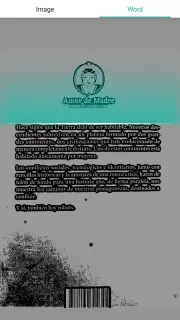
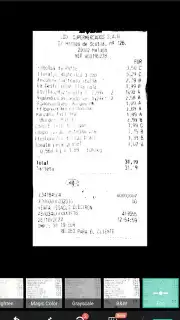
Your control continues after the scan. The built-in editor provides a suite of optimization tools to enhance readability. Apply one of several specialized filters to sharpen text, convert color documents to pristine black-and-white, or improve the clarity of low-contrast prints. This is invaluable for dealing with faded ink on old notes, brightly colored receipts where text blends in, or documents with textured paper backgrounds. You are empowered to produce a final version that is often more legible than the original physical copy.
Organize, Convert, and Share with Ease
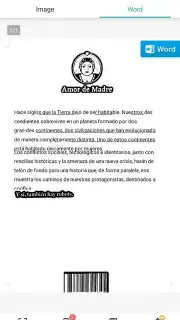
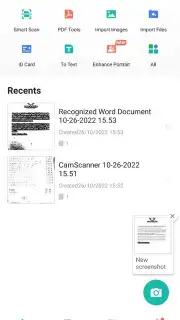
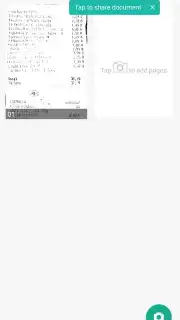
CamScanner is more than a capture tool; it acts as a mobile document manager. Every scan you create can be neatly organized into custom-named folders, making it simple to retrieve that specific invoice or meeting note months later. When it is time to export, you choose the format that suits your needs: a universally compatible PDF, a standard JPG image, or even a searchable Word file through advanced OCR (Optical Character Recognition) technology. Sharing is seamlessly integrated, allowing you to send your polished documents directly via email, cloud storage services, or messaging apps without ever leaving the application.
The free version offers substantial functionality for everyday use. For users requiring advanced features like higher-resolution exports, larger cloud storage, or the removal of watermarks, a subscription plan provides enhanced capabilities. A trial period lets you experience these premium tools firsthand, demonstrating how they can streamline your specific workflow.
Key Advantages at a Glance
- Intelligent Camera Capture: Uses automatic edge detection and perspective correction to transform photos into perfectly aligned scans.
- Advanced Image Enhancement: Applies filters and manual tuning tools to improve sharpness, remove shadows, and optimize document readability under any condition.
- Multi-Format Export: Saves or shares your documents as high-quality PDF, JPG, or text-recognized Word files.
- Integrated Document Management: Create folders, categorize scans, and quickly find files using search functions for superior organization.
- Direct Sharing: Send any document to contacts, email, or cloud platforms instantly from within the app's interface.
- Versatile Use Cases: Perfectly suited for digitizing receipts, contracts, handwritten notes, whiteboard sessions, business cards, and book pages.
Consider downloading CamScanner to eliminate paper clutter and access your documents from anywhere. This tool redefines convenience for students, professionals, and anyone looking to simplify their administrative tasks.
Download the CamScanner mobile app now and experience the definitive mobile document scanning solution.
Disclaimer: The application requires an internet connection for certain features, including cloud sync and online sharing. Some advanced features and the removal of advertisements may require a paid subscription through in-app purchases.
Information
| Version | 7.13.0.2603050000 |
| Developer | INTSIG Information Co.,Ltd |
| Requirements | Android Android + 5.0+ |
| Updated | 17.03.2026 |
| Size | 199.99 MB |
| Package | com.intsig.camscanner |
| Signature | 27d438581be7acd1b07eaac45da3a233 |
| Architecture | armeabi, arm64-v8a |


