


Canon PRINT Inkjet/SELPHY screenshots (5)
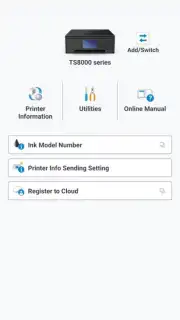
Description Canon PRINT Inkjet/SELPHY
Unlock Wireless Freedom for Your Canon Printer
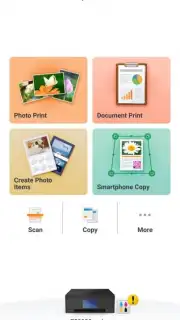
Tired of being chained to your computer just to print a document or photo? Transform your smartphone into a powerful, mobile print command center. The Canon PRINT Inkjet/SELPHY app seamlessly bridges your Android device and your compatible Canon printer, turning complex printing tasks into simple, tap-and-go actions. Experience the convenience of sending print jobs directly from your hand, whether you're finalizing a contract from your email, creating a photo collage from your gallery, or scanning a signed document directly to the cloud.
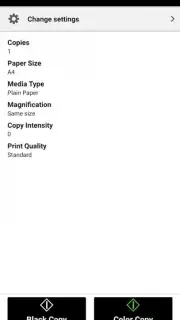
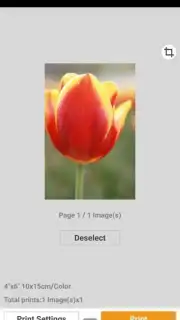
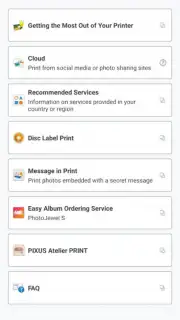
This utility app provides comprehensive remote control over your Canon Inkjet, SELPHY, or MAXIFY printer. You can directly print photos and documents from your device's storage, popular cloud services like Google Drive and Dropbox, or even from your social media feeds. The app supports a wide range of file formats including PDF, JPEG, and Microsoft Office files. For photographers and creatives, it offers dedicated photo printing features with basic editing tools like cropping, red-eye correction, and color adjustment before sending to your SELPHY photo printer. The scanning function allows you to use your printer's scanner from your phone, capturing multi-page documents and saving them as searchable PDFs or image files directly to your device.
Core Features at Your Fingertips
- Print from Anywhere on Your Network: Wirelessly print documents, web pages, and photos stored on your device or from connected cloud storage accounts without needing a computer.
- Direct Photo Editing & SELPHY Printing: Adjust, crop, and enhance your images with built-in tools before creating borderless prints or custom layouts on your Canon SELPHY photo printer.
- Mobile Scanning to Device: Use your compatible Canon all-in-one printer as a wireless scanner, capturing multi-page documents and saving them directly to your smartphone or tablet.
Key Advantages for Streamlined Workflow
The app's major strength is its intuitive, clean interface designed for one-touch operations, making wireless printing accessible to everyone. It ensures reliable connectivity, automatically discovering compatible printers on your Wi-Fi network for a hassle-free setup. You also gain valuable printer maintenance tools, allowing you to check ink levels, clean print heads, and align cartridges directly from your mobile device, helping to maintain optimal print quality and prevent issues before they arise.
We suggest trying the Canon PRINT Inkjet/SELPHY app to experience truly untethered printing and scanning. Consider downloading it to bring unparalleled convenience to your home office or creative projects.
Disclaimer: This app requires a compatible Canon printer and a Wi-Fi network connection for core functions. Some features may require internet access for cloud services. The app is free to download and use; printer supplies such as ink and paper are sold separately. Data usage may apply when accessing online services. Compatible with Android 8.0 and above. Canon and SELPHY are trademarks of Canon Inc.
Information
| Version | 3.7.0 |
| Developer | Canon Inc. |
| Requirements | Android Android + 8.0+ |
| Updated | 17.03.2026 |
| Size | 47.39 MB |
| Package | jp.co.canon.bsd.ad.pixmaprint |
| Signature | 793774402927c0b6d0a17f6d0d424e04 |
| Architecture | armeabi-v7a, arm64-v8a |


