


Captions Lite screenshots (12)

Description Captions Lite
Transform Any Video Into a Polished Masterpiece with AI-Powered Subtitles
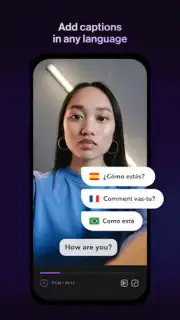
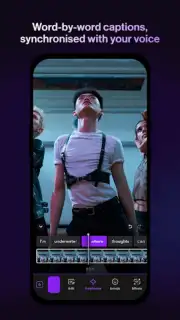
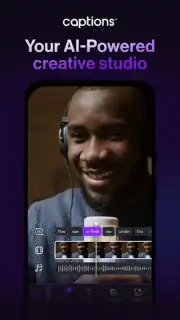
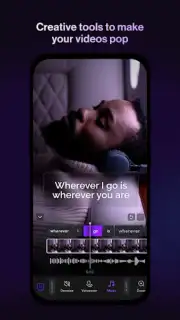
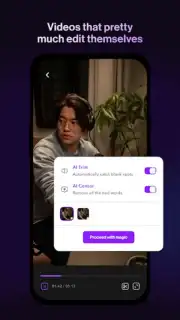
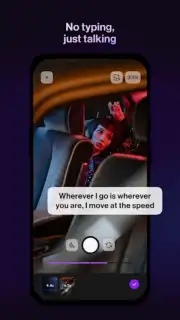
Captions Lite fundamentally changes how you add text to video, moving from a manual chore to an automated, creative process. This powerful editor for Android uses advanced voice recognition and artificial intelligence to generate accurate subtitles for any clip in moments. Beyond simple transcription, it provides a full suite of styling tools, allowing you to tailor every visual detail from fonts and colors to animated transitions and backgrounds. The result is a streamlined workflow where you can produce social-media-ready, professional-looking videos directly on your mobile device without any prior editing expertise. It’s designed for creators who value both speed and quality, packaging complex post-production into a few intuitive taps.
Core Functionality and User Workflow
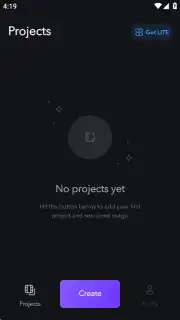
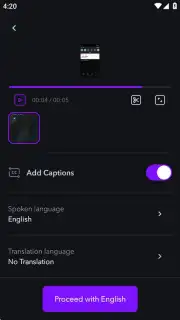
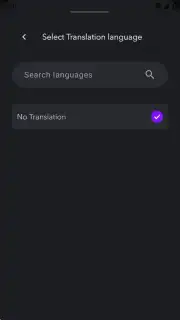
Getting started requires a simple account setup, which you can complete using your Google credentials or an email address. Once verified, you gain immediate access to the core subtitle generator. The editing interface is notably clean and logical, presenting tools in a sequential manner that guides you from import to export. You begin by selecting a video from your gallery, after which the app uploads and processes the audio. A key step is selecting the spoken language for the AI to analyze, ensuring higher accuracy for the automatic caption generation. Following this, you enter the main editor where the generated text is displayed and fully customizable.
Expanding Creative Control with Premium Tools
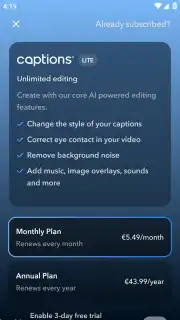
While the free version is fully functional, the optional Turbo subscription unlocks a significant expansion of capabilities. Premium features focus on enhancing audio and visual quality, such as the AI-powered background noise remover that cleans up dialogue. It also grants access to an extended library of subtitle styles, animations, and a broader collection of royalty-free music and sound effects for scoring your videos. A particularly advanced feature includes tools for adjusting the appearance of subjects within the video, offering unique creative possibilities beyond standard text editing. The subscription model removes all advertising and elevates the output to match professional editing software.
Detailed Editing and Export Process
The editor itself is where Captions Lite shines. Each subtitle block is independently editable. You can change the wording, split or merge caption lines for better timing, and apply distinct styles to different parts of the video. The visual customization is extensive: choose from dozens of fonts, modify text color and add borders or shadows, and place your captions anywhere on the screen. You can then layer in animated transitions between scenes, background graphics, and your selected audio track. When your edit is complete, the app renders a final video file with the subtitles burned directly into the footage, ready for export to your camera roll or for direct sharing to platforms like Instagram, TikTok, or YouTube.
- AI-powered automatic subtitle generation
- Customizable fonts, colors, and animations
- Background noise removal (Premium)
- Direct social media sharing export
- Simple, intuitive timeline editor
We suggest trying Captions Lite to experience how quickly you can add professional, engaging subtitles to your content, dramatically boosting its accessibility and viewer retention.
Download the Captions Lite mobile app now to start creating.
Please note: The app requires an internet connection for video processing and account functions. This application offers optional in-app purchases for a premium subscription tier.
Information
| Version | 4.13.0 |
| Developer | Captions |
| Requirements | Android Android + 9+ |
| Updated | 17.03.2026 |
| Size | 37.57 MB |
| Package | com.nocap.captions |
| Signature | 6aa81cfcf635304a987e04856f9c5844 |
| Architecture | armeabi-v7a, arm64-v8a |


