

Change My IP screenshots (3)
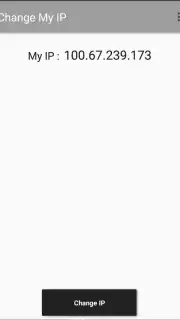
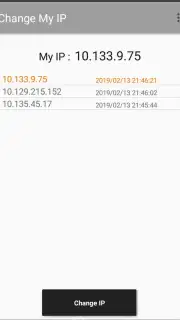

Description Change My IP
Looking for a straightforward way to manage your device's network identity without complex configurations? Change My IP provides a direct toolset for users seeking to modify their IP address for various social and connectivity purposes.
Core Functionality
The app operates as a dedicated network utility, allowing users to refresh or alter their device's public IP address directly from their smartphone. The primary mechanism involves disconnecting and re-establishing the connection to your mobile data or Wi-Fi network, prompting the assignment of a new address from the carrier or router's DHCP pool. This process is managed through a simple one-tap interface, removing the need for manual network setting adjustments or rebooting the device. It is designed for scenarios where a new IP is required for accessing region-specific social features, troubleshooting basic connectivity, or refreshing a session.
Key Advantages
The utility distinguishes itself through a minimalist and efficient user experience.
- One-Tap IP Refresh: Execute a full IP change cycle with a single button press, streamlining what is typically a manual process.
- No Root Access Required: All functionality operates within standard user permissions, ensuring broad device compatibility without system modifications.
- Real-Time Connection Logs: View a detailed history of your IP addresses and connection timestamps directly within the app's interface.
Gain exclusive access to this simplified network tool today—download now and refresh your connection in seconds.
Heads up: you'll need wifi or mobile data for the IP refresh to function. The app requires standard network permissions to operate.
Information
| Version | 1.0 |
| Developer | Family Developer |
| Requirements | Android Android + 4.0.3, 4.0.4+ |
| Updated | 17.03.2026 |
| Size | 1.71 MB |
| Package | com.change.my.ip |
| Signature | cb3363348414b0583c830294c272e10f |


