


Chrome Remote Desktop screenshots (4)
Description Chrome Remote Desktop
Ever need to grab a file from your home computer while you're out, or help a family member troubleshoot their laptop without being in the same room? What if you could access any computer you use directly from your Android phone, with the same simplicity as checking your email? That’s the seamless bridge Chrome Remote Desktop builds for you.
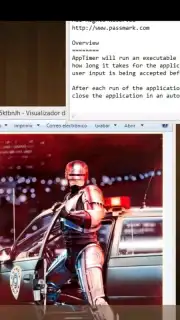
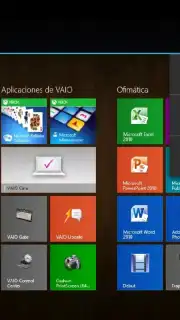
This official Google application transforms your phone into a secure portal for your computers. You experience a genuine remote desktop environment, where your computer's screen is streamed live to your mobile device. Interact with it using intuitive touch controls or a mobile-optimized cursor. The connection is established through Google's secure infrastructure, ensuring your sessions are private. You’ll find yourself effortlessly navigating folders, editing documents, or even running specialized software as if you were physically seated at the desk. The setup process is designed for universal accessibility, guiding you from installation to connection in a very short time without technical jargon.
Core Features and User Experience
The utility of Chrome Remote Desktop lies in its focused functionality and reliable performance. You get a stable, real-time view of your remote computer’s display. The video streaming is optimized for various network conditions, aiming to provide a responsive experience even from cellular connections. Audio is transmitted from the remote computer to your phone, allowing you to hear system sounds or media. Security is foundational, with all remote sessions being encrypted end-to-end. Every connection requires explicit authorization, so you maintain complete control over access. The interface on your phone is clean and minimal, putting the remote screen front and center with unobtrusive controls for keyboard input, right-click simulation, and screen scaling.
- Cross-Platform Freedom: Securely connect to and control computers running Windows, macOS, or Linux from a single, unified app on your Android device.
- Zero-Cost Accessibility: Enjoy a fully-featured remote access solution completely free of charge, with no subscriptions, tiered plans, or advertisements.
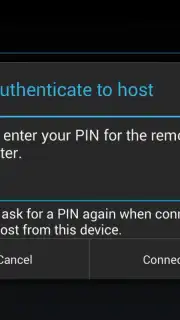
- Streamlined Setup Process: Link your devices in minutes using your Google Account for authentication, eliminating complex configuration or network setup.
This isn’t just another utility app; it’s a direct extension of your workspace into your pocket. Imagine approving a final design, restarting a long render, or walking a colleague through a process on their machine—all from your phone while you’re away from your desk. The barrier between you and your computer dissolves, granting you flexibility and peace of mind. For professionals, students, or anyone who needs reliable computer access on the go, it provides a professional-grade tool without the professional-grade complexity or cost.
Don't wait until you're stranded without a crucial file. Gain the power to access your digital workspace from anywhere.
Download the Chrome Remote Desktop mobile app now and claim your exclusive, seamless access today—this level of streamlined control is what mobile productivity is evolving towards.
This application requires a persistent internet connection on both your Android device and the remote computer. The service is free to use; no in-app purchases are required.
Information
| Version | 79.0.3945.26 |
| Developer | Google Inc. |
| Requirements | Android Android + 4.4+ |
| Updated | 17.03.2026 |
| Size | 7.97 MB |
| Package | com.google.chromeremotedesktop |
| Signature | cde9f6208d672b54b1dacc0b7029f5eb,f026fdcf21375f987164c84da76ef5fd |
| Architecture | armeabi-v7a |


