

Clipboard Everywhere Lite screenshots (5)
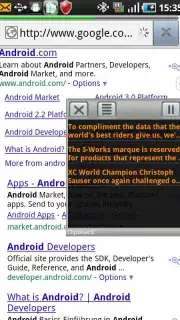
Description Clipboard Everywhere Lite
Tired of Losing Your Copied Text? Your Android Clipboard Just Got a Desktop-Grade Upgrade.
Imagine copying a crucial piece of information on your phone, only to lose it forever with your next copy-paste. That frustrating, productivity-killing experience ends now. Clipboard Everywhere Lite transforms the basic clipboard on your Android device into a powerful, persistent tool that works just like the seamless systems you love on your desktop computer. This isn't just an app; it's a fundamental upgrade to how you interact with text and data on your mobile device, designed to keep you in a state of flow without ever breaking your concentration.
Your Universal Clipboard, Always Within Reach
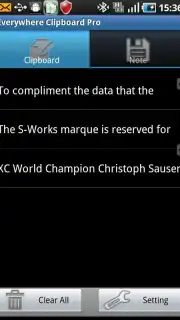
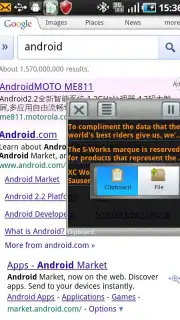
The core magic of Clipboard Everywhere Lite is its intelligent, always-available clipboard history panel. This detailed dashboard floats conveniently on your screen, giving you instant access to everything you've recently copied. No more frantic switching between apps to re-copy lost text. You can effortlessly find, re-copy, paste, or delete any item from your clipboard history with a single tap. The beauty is in its discretion—this quick-access panel is available whenever you need it and can be easily hidden away when you don't, ensuring a clean, uninterrupted workspace. It’s like having a photographic memory for everything you copy.
Engineered for Serious Productivity
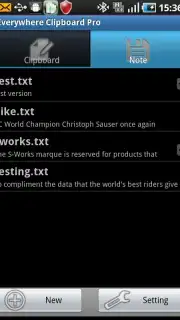
Created for intensive tasks like email management, research, or note-taking, this app significantly boosts your output. Whether you're compiling data from text files or using the integrated note editor to draft quick thoughts, Clipboard Everywhere Lite handles it all with elegant efficiency. You gain the power to manage content directly from files or folders, supporting both traditional clipboard history and advanced file-based copying. This dual functionality makes it a universally useful tool for any task, from casual browsing to professional content creation.
Simple, Powerful, and Intuitive
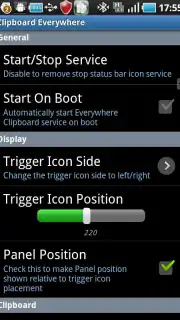
The app maintains a clean, friendly interface that makes powerful features feel simple. You can save up to 20 clipboard entries, with full, instantaneous access to the entire history panel. Navigation is smooth and intuitive, ensuring all your clipboard needs are met without a second thought. While advanced features like folder management are reserved for the Pro version, this Lite edition provides a remarkably robust platform. It allows you to manage your clipboard comprehensively without ever needing to leave the app you're working in, keeping you firmly in your productivity zone.
Seamless Background Integration
Built by the developers known for their desktop solution, Clipboard Everywhere Lite is a model of efficient mobile design. It operates flawlessly in the background with minimal required permissions, matching standard mobile functionality. The app automatically launches on system boot, integrating itself seamlessly into your Android device's workflow. You simply set it and forget it, then enjoy a consistently enhanced clipboard experience that feels like a natural extension of your phone's operating system.
Experience the key features that make this your essential productivity partner:
- Desktop-Style Clipboard History – Access a detailed, searchable panel with your last 20 copied items anytime, from any app.
- One-Tap Workflow Management – Instantly find, re-copy, paste, or delete clipboard entries without disrupting your current task.
- Dual Copy-Paste Modes – Supports both standard text clipboard history and direct file-based copying for maximum versatility.
Ready to stop losing your copied work? For a limited time, new users get exclusive access to the full power of Clipboard Everywhere Lite. This is your chance to upgrade a core function of your phone—today only. Download the mobile app now and feel the difference instantly!
Disclaimer: Application requires an internet connection for initial setup and certain functionalities. This app may contain in-app purchases for access to premium Pro features.
Information
| Version | 1.2.3 |
| Developer | Kiumiu.CA |
| Requirements | Android Android + 1.5+ |
| Updated | 17.03.2026 |
| Size | 700.89 KB |
| Package | com.smart.clipboard.lite |
| Signature | e4339a8f81dd4e1dee502c377e224355 |
| Architecture | universal |


