


Device Utility screenshots (4)
Description Device Utility
A Streamlined Setup Solution for Your Google Ecosystem
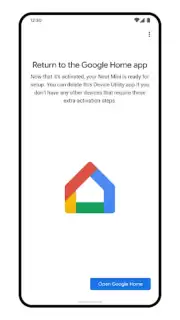
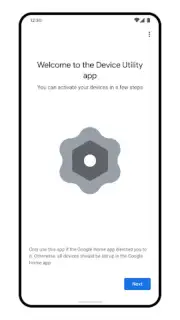
For users integrating new Google, Nest, or partner smart devices, the initial setup process can often be the most significant hurdle, creating friction before the benefits of a connected home are realized. Device Utility by Google LLC addresses this specific point of entry, functioning as a dedicated setup assistant designed for seamless integration into the Google Home ecosystem. This tool provides a structured, guided pathway for device onboarding, after which its primary role is complete, allowing for its removal to maintain a clean application environment on your phone. It represents a focused, temporary utility that prioritizes initial connectivity and troubleshooting over long-term control, which is then handed off to the primary Google Home application.
Core Functionality and Operational Analysis
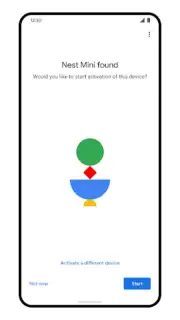
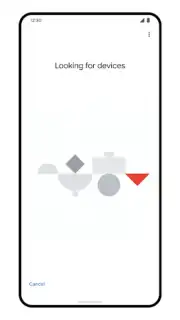
The application operates with a singular, clear purpose: to simplify the addition of new hardware. Upon launching, users are guided through a step-by-step setup protocol for compatible devices. This process involves network detection, credential input, and device registration, all presented within an intuitive interface that minimizes user error. Its design philosophy is one of temporary assistance; once a device is successfully paired and managed within the Google Home app, Device Utility becomes redundant for that device. This approach is analytically sound, as it prevents application clutter by separating the one-time setup engine from the ongoing management console.
Beyond mere connection, the utility includes diagnostic and troubleshooting modules. If a device fails to connect or appears unresponsive during setup, the tool can run basic connectivity checks, verify network permissions, and suggest corrective actions. This pre-emptive problem-solving is a critical feature, as it resolves issues at the point of inception rather than leaving them to frustrate users within the main management app. The software acts as a dedicated installation layer, ensuring that only properly configured and communicating devices enter your broader smart home network.
- Guided Device Integration: Provides clear, sequential instructions for adding Google, Nest, and partner-branded smart home products to your network.
- Post-Setup Application Cleanup: Designed to be uninstalled after use, reducing phone clutter and promoting a minimalist app ecosystem.
- Integrated Troubleshooting Suite: Offers in-process diagnostic tools to resolve common Wi-Fi and pairing issues during initial configuration.
The practical outcome of using Device Utility is a more organized and efficient device management lifecycle. Users bypass the often-complex setup procedures embedded within broader platforms, using a dedicated tool that excels at this one task. This results in a higher first-time-success rate for device installations and a cleaner long-term application dashboard, as you are not left with a permanent app whose core function was temporary. It is a strategic component for building a stable smart home foundation.
Download the Device Utility mobile app now—exclusive access for first users streamlines your next device setup today. Limited offer for a seamless integration experience.
Internet required. IAP available.
Information
| Version | 2.2.8.2 |
| Developer | Google LLC |
| Requirements | Android Android + 6.0+ |
| Updated | 17.03.2026 |
| Size | 6.24 MB |
| Package | com.google.android.apps.wifisetup.app |
| Signature | b79ddf365e33b4f1fee1dcf94f06b177 |
| Architecture | armeabi-v7a, x86, arm64-v8a |


