

Cliqz Browser screenshots (9)






Description Cliqz Browser
Imagine needing to find information online quickly, but each search feels like leaving a digital footprint for others to follow. You want speed, but also a layer of control over what you share and see. The Cliqz Browser positions itself as a tool for this scenario, merging a familiar web navigation experience with integrated systems designed for user privacy and efficient browsing.
Core Functionality and User Interface
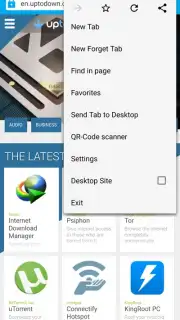
The application operates as a full-featured mobile web browser with a primary interface centered around a combined search and address bar. Initial interaction requires the user to input either a search query or a specific URL to begin loading a webpage. The browser’s architecture is noted for its similarity to other mainstream browsers, which reduces the learning curve for new users. A significant functional component is the autocomplete system, which activates during typing to suggest recently visited pages and common search terms, aiming to minimize manual input for faster navigation. While on any loaded webpage, the user can access a menu to perform actions such as adding the site to a favorites list, creating a new bookmark, or generating a QR code for the current page address.
Privacy and Security Modes
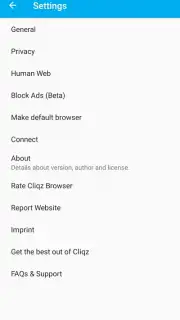
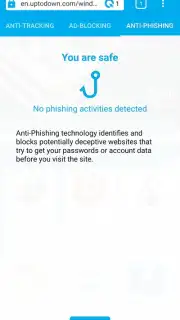
A dedicated privacy mode, labeled as incognito, functions by suspending the local storage of browsing history and search data for the session’s duration. When this mode is active, the application does not record the list of visited pages into the device’s local history log. The browser also incorporates background filtering processes that automatically block advertising content and attempt to identify and prevent access to known phishing websites. This filtering is part of the broader "Turbo" system, which is cited as a source of multiple performance and privacy advantages, though the technical specifics of this system are not detailed in the interface.
Additional Tools and Page Management
Beyond basic navigation, the application provides utilities for managing web content. The user can review a counter that displays the number of advertising elements blocked on the current site. The favorites and bookmarking system allows for the organization of frequently accessed pages. The QR code generator creates a scannable image from the current page's URL for easy sharing or device-to-device transfer.
- Intelligent Autocomplete & History: Typing in the address bar triggers suggestions from your recent browsing history, facilitating quick returns to previous sites without full URL entry.
- Integrated Privacy & Security Suite: Features include an incognito mode that leaves no local history, alongside automatic ad blocking and phishing protection that runs in the background.
- On-Page Action Menu: Provides quick access to tools for bookmarking, adding to favorites, checking the ad-block counter, and generating a QR code for the current webpage.
We suggest trying Cliqz Browser if your priority is a streamlined mobile web experience that emphasizes default privacy controls and content filtering without a complex setup.
Heads up: you'll need wifi or mobile data for all browsing features. Some advanced privacy and Turbo features may rely on ongoing online services from the developer.
Information
| Version | 1.10.1 |
| Developer | Cliqz GmbH |
| Requirements | Android Android + 5.0+ |
| Updated | 17.03.2026 |
| Size | 29.97 MB |
| Package | com.cliqz.browser |
| Signature | 42c63a8be7d64a762038146bc7eb035c |
| Architecture | armeabi-v7a |


