


Closet Sketcher 3D screenshots (8)



Description Closet Sketcher 3D
A New Way to Visualize Your Space Before You Build
Imagine standing in a home improvement store, holding a cabinet handle, trying to visualize if it matches the wardrobe you haven't built yet. This common frustration of interior design and DIY projects is precisely what Closet Sketcher 3D eliminates. It transforms abstract measurements and catalog images into a tangible, interactive model of your future storage space, allowing you to experiment with layouts and finishes in a risk-free digital environment before making any physical or financial commitments.
From Concept to Clear 3D Blueprint
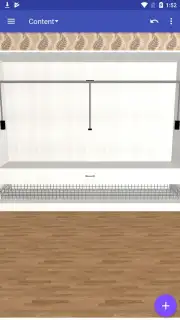
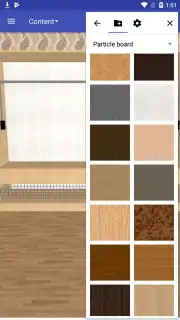
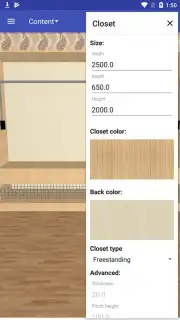
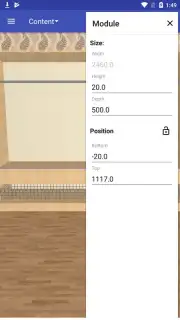
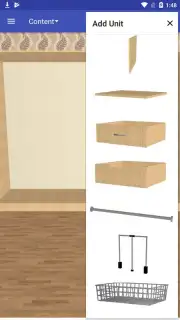
Closet Sketcher 3D functions as a dedicated spatial planning tool, bridging the gap between a simple sketch and professional CAD software. The core workflow is intuitive: you begin by defining the dimensions of your room or niche. The app provides a library of standard cabinet bodies, shelves, drawers, and rods, which you can drag, drop, and snap into your defined space. The true power lies in the real-time 3D view, which renders your design as a rotatable, zoomable model. You can apply different wood finishes, laminate colors, and hardware from a curated materials library to see how light interacts with textures and how colors complement each other. It’s a systematic process of assembly and customization, designed to produce a clear, actionable plan and a realistic preview of the final result.
Key Advantages of This Planning Tool
The application distinguishes itself through a focused set of advantages that prioritize practical utility and user confidence in the planning phase.
- Precision Parametric Modeling: Every component is based on real-world dimensions and joinery logic, ensuring your digital design is technically plausible for construction.
- Immersive Real-Time Rendering: See your closet with realistic lighting and material shading, providing a highly accurate preview that static images cannot match.
- Extensive Customizable Library: Access a wide array of standard storage modules and decorative elements to build a layout that fits your specific needs and aesthetic.
- Exportable Plans and Shopping Lists: Generate straightforward dimensioned diagrams and a summarized list of required components to share with a carpenter or use for purchasing.
- Intuitive Touch-Centric Interface: The controls are optimized for mobile devices, using pinch-to-zoom, drag, and tap gestures for a natural and efficient design process.
Do not let uncertainty dictate your next home project. Download Closet Sketcher 3D now and gain the clarity and confidence to move from idea to execution. For a limited time, new users receive exclusive access to a premium set of modern hardware finishes to kickstart their design.
This application requires a stable internet connection for initial download and access to certain cloud-based features. The app is free to download and use, with optional in-app purchases for expanded content libraries.
Information
| Version | 2.18.0 |
| Developer | Andrey Ovchinnikov |
| Requirements | Android Android + 7.0+ |
| Updated | 17.03.2026 |
| Size | 24.79 MB |
| Package | com.closetsketcher |
| Signature | 74b3e77a66fe4de18fa1a15dd22d09c9 |
| Architecture | armeabi, armeabi-v7a, x86, arm64-v8a, x86_64 |


