

CloudBuckIt screenshots (6)


Description CloudBuckIt
A Unified File Manager for Multi-Cloud Storage
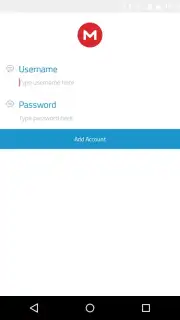
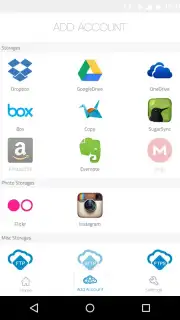
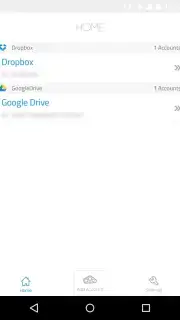
CloudBuckIt operates as a centralized management console for cloud storage, addressing the common inefficiency of juggling multiple standalone apps. Its core function is to provide a single interface for over 37 different cloud and remote storage services, from ubiquitous platforms like Dropbox and Google Drive to specialized services like MEGA, Amazon Cloud Drive, and FTP/SFTP servers. The application creates a unified file system view, allowing for direct file operations—such as uploads, deletions, and organization—across all connected accounts without needing to switch between native clients.
Functionality and User Experience Analysis
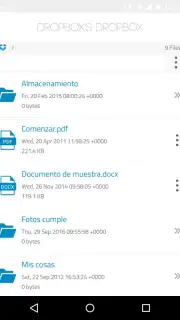
Access requires a free registration, after which users can link an unlimited number of accounts from the supported providers. Navigation utilizes a standard directory tree structure, making file browsing intuitive for those familiar with desktop file explorers. Integrated search functionality operates across all connected clouds, streamlining the process of locating specific documents or media files. While a slight operational latency can be perceptible during file transfers or remote edits—a typical constraint when managing data across networks—the overall interaction is designed to mimic working with local storage. An optional Turbo subscription removes all advertising and may enhance performance, though the base application remains ad-supported.
Key Operational Features
- Multi-Service Aggregation: Connects and manages files from 37+ distinct cloud storage and remote FTP services within a single, consolidated file browser interface.
- Direct File Manipulation: Perform actions like adding, renaming, moving, or deleting files and folders directly within the app, as if using each service's official client.
- Unified Search & Navigation: Utilizes a clear directory tree and a cross-account search function to locate files quickly without switching between different storage platforms.
The utility of CloudBuckIt is most apparent for users who actively maintain several cloud storage accounts for personal or work purposes. It eliminates the need to install numerous individual apps and reduces the cognitive load of remembering which files are stored on which service. For maximizing the value of disparate cloud storage subscriptions, consider downloading the mobile app now to consolidate your digital assets. Internet required. IAP available.
Information
| Version | 1.1 |
| Developer | MyCloudBuckit |
| Updated | 17.03.2026 |
| Size | 8.42 MB |
| Package | com.neberox.app.cloudbuckit |
| Signature | 40c9eb9274ef670ed716c7e46f01392e |
| Architecture | armeabi, x86 |


