

CM Launcher screenshots (5)
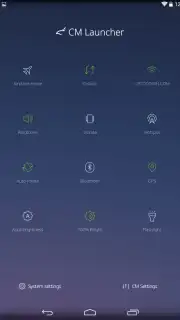
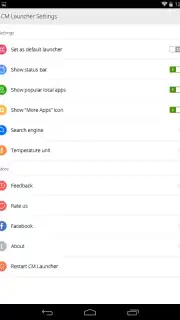
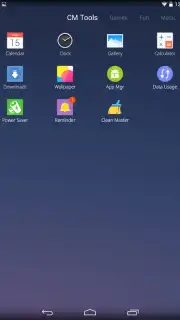
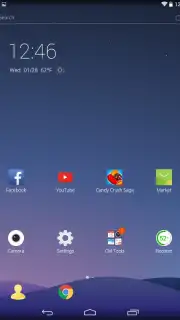
Description CM Launcher
Transform Your Android's Look and Feel with a Feather-Light Launcher
CM Launcher redefines Android customization by merging a sleek, modern interface with exceptionally lightweight performance. This launcher strips away the bloat to deliver a fast, intuitive, and highly organized home screen experience directly from your first use. It intelligently adapts to your habits, placing your most essential tools front and center while systematically arranging everything else for instant access.
Beyond mere aesthetics, CM Launcher is a powerhouse of practical organization. It automatically sorts all your installed apps into smart, categorized folders like Utilities, Media, and Games, eliminating endless scrolling through your app drawer. The notification panel is enhanced with quick-setting toggles for immediate control over WiFi, Bluetooth, and screen brightness. Notably, the core experience is streamlined and ad-free, with the optional Turbo mode unlocking advanced performance boosts and exclusive themes for a fully optimized device.
Core Features at a Glance
- Smart App Organization: Automatically categorizes apps into logical folders (Social, Tools, Games) and suggests relevant new apps within each category.
- Ultra-Lightweight Design: A minimal 2MB installation conserves storage and RAM, ensuring swift operation even on older Android devices.
- Customizable Quick Access: Features a dynamic default home screen with your frequent apps (WhatsApp, Camera, Chrome) and an editable notification panel.
Why This Launcher Stands Out
The true advantage of CM Launcher lies in its balance. It provides deep customization—from icon packs and transition effects to home screen grid adjustments—without compromising speed. The interface is not just elegant; it's functional, with every swipe and tap designed for efficiency. Your most-used applications are always one touch away, and the intelligent sorting system means you'll never waste time hunting for a rarely used app again. It’s a comprehensive solution that enhances both the form and function of your smartphone.
We suggest trying CM Launcher to experience a cleaner, faster, and more personalized Android interface. Consider downloading it today to unlock a new level of device control and style.
Download the CM Launcher mobile app now.
Heads up: you'll need WiFi for initial setup and downloading theme packs. Some advanced features and exclusive themes are part of the optional Turbo upgrade.
Information
| Version | 5.99.0 |
| Developer | Cheetah Mobile Inc |
| Requirements | Android Android + 4.1, 4.1.1+ |
| Updated | 17.03.2026 |
| Size | 20.13 MB |
| Package | com.ksmobile.launcher |
| Signature | 65de9c9cb26e7079ae83be2ab2e45eb5 |
| Architecture | armeabi-v7a, arm64-v8a |


