

CMC Image Scanner screenshots (8)
Description CMC Image Scanner
Tired of bulky scanners and piles of paper cluttering your desk? What if your smartphone could instantly transform any document into a crisp, digital file you can edit, sign, and send from anywhere? Welcome to a new era of document management, where your Android device becomes your most powerful office tool.
Your Pocket-Sized Digital Office
Imagine this: you’re in a meeting, and a crucial paper handout gets passed around. Instead of fumbling for a copier or taking a blurry photo, you simply open the app. In seconds, you capture a perfectly aligned scan, convert it into a professional PDF, and email it to your team before the meeting even ends. That’s the power of the CMC Image Scanner. It’s not just a camera tool; it’s a complete document workflow solution designed for the modern professional on the move. You experience the satisfaction of turning physical clutter into organized, searchable digital files with just a few taps.
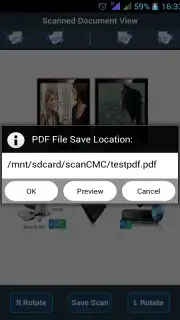
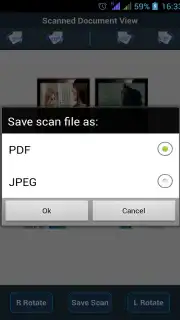
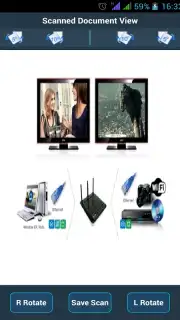
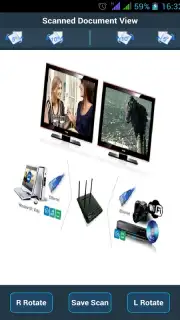
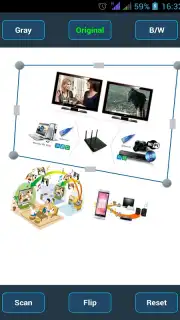
The magic happens through a suite of intelligent features. You can initiate a scan directly using your device’s camera, with an adjustable capture rectangle that lets you pinpoint the exact area you need. No more crooked edges or unwanted background. Already have a photo of a document? The app lets you import it and process it with the same powerful enhancement tools, correcting perspective and improving readability. You’ll feel in complete control as you rotate files by 90-degree increments or make finer adjustments for pixel-perfect alignment. The output formats are tailored for real-world use: save your scans as A4-sized PDFs ready for printing or as high-quality JPEG images in standard photo dimensions.
Seamless Integration Into Your Workflow
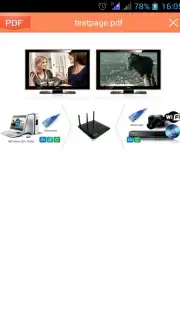
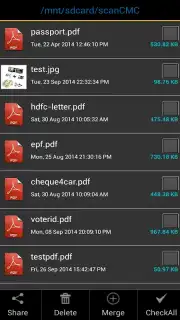
Once your document is digitized, the real convenience begins. You can seamlessly merge multiple PDFs into a single, organized file—perfect for compiling reports or combining contracts. Sharing feels effortless. Send your scans directly via Bluetooth, email, or instantly upload them to your favorite cloud services like Google Drive and Dropbox without ever leaving the app. Viewing is just as smooth, with a built-in image viewer and full compatibility with any PDF reader already on your device.
You’ll appreciate the clean, ad-free interface that keeps the focus entirely on your productivity. This is a premium scanning experience that operates transparently, without hidden data usage or annoying interruptions. It’s a tool that respects your time and the integrity of your original documents, delivering laboratory-grade digitization from the palm of your hand. From archiving lecture notes and meeting minutes to digitizing receipts and business cards, it unlocks the advantages of a paperless life for students, entrepreneurs, and anyone looking to streamline their daily tasks.
- Camera & Gallery Scanning
- Smart Crop & Alignment
- PDF Merge & Export
- Direct Cloud Upload
Stop dealing with paper jams and slow, outdated processes. Claim your advantage now and turn your smartphone into a high-speed document digitization hub. Download CMC Image Scanner today and experience the freedom of a truly mobile office.
Disclaimer: This is a mobile application requiring an internet connection for certain features like cloud uploads. The app is free to download and use. Please be aware of your mobile data usage when uploading large files. The app may contain in-app purchases for advanced features. Use of cloud services is subject to their own terms and conditions. This tool is intended for general document management for users of appropriate age.
Information
| Version | 3.7 |
| Developer | CMC Limited |
| Updated | 17.03.2026 |
| Size | 11.55 MB |
| Package | com.cmc.scan |
| Signature | 2df8c39ea4e02c1a7236dd19b405cdfa |
| Architecture | armeabi, x86 |


