

CodePad lite screenshots (5)

Description CodePad lite
What if you could compile and run code directly from your Android device, anywhere, anytime?
CodePad Lite provides a robust mobile platform for compiling, editing, and executing code snippets. This application serves a critical function for programming enthusiasts and learners by offering a reliable, on-the-go environment for testing algorithms, refreshing knowledge on forgotten syntax, or experimenting with new logic. Its primary utility lies in transforming a smartphone or tablet into a functional coding workstation, eliminating the immediate need for a desktop IDE for quick tasks or iterative learning.
Core Functionality and User Experience
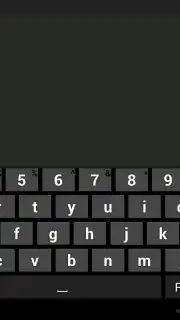
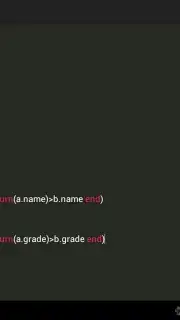
The interface is designed for clarity and efficiency, prioritizing a clean editing pane and straightforward compilation controls. This design minimizes friction, allowing users to focus on writing and testing code rather than navigating a complex UI. Performance stability is a noted characteristic, ensuring that compilation processes and script execution are handled reliably across the supported languages. The environment is particularly practical for managing snippets, debugging small functions, or prototyping ideas outside of a traditional development setup.
Extensive Language Support and Compilation
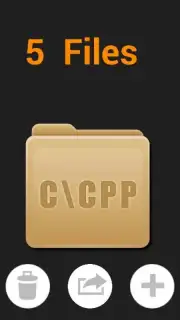
A defining feature of CodePad Lite is its comprehensive support for a wide array of programming languages. This includes mainstream languages like C, C++, Java, and Python, alongside others such as Ruby, Perl, and Fortran. Furthermore, it extends functionality to scripting and web-based languages like Lua, JavaScript, and HTML, allowing for a broad range of development and testing scenarios. This versatility makes it a single tool for managing projects or educational tasks across different programming paradigms directly from a mobile device.
- Multi-Language Compilation Engine: Execute and test code across numerous languages, from C++ to Python, within a unified mobile interface.
- Scripting & Web Language Support: Compile and run basic scripts in Lua, JavaScript, and HTML for versatile prototyping and web code testing.
- Ad-Free, Streamlined Environment: Experience focused coding without interruptions, facilitated by optimized performance for efficient compilation.
The application's architecture is built for adaptive use, whether on a phone or tablet, providing a seamless compilation experience that mirrors essential desktop functionalities. It acts as a portable reference and testing suite, making complex solutions manageable and accessible from the convenience of a mobile device. For students, developers between machines, or hobbyists, it presents a tangible productivity tool for continuous coding practice and project development.
Download CodePad Lite now—exclusive access for the first wave of users to leverage this mobile coding toolkit today only.
Disclaimer: This application requires an active internet connection for compilation processes. It may contain in-app purchase options. Data usage fees may apply depending on your network plan. Please check the product description for age ratings and review the app's data privacy policy before installation.
Information
| Version | 1.1 |
| Developer | USTC-XDD |
| Requirements | Android Android + 10+ |
| Updated | 17.03.2026 |
| Size | 2.38 MB |
| Package | com.maclab.codepadlite |
| Signature | 1a3486770ea46fdc2ca11d41d217c9a8 |
| Architecture | armeabi |


