

ColorOS Smart Sidebar screenshots (3)
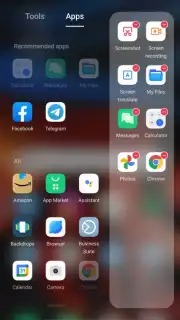
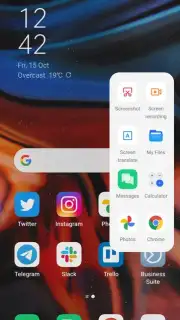
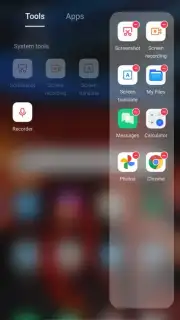
Description ColorOS Smart Sidebar
Transform Your Android Experience with Instant Access Tools
Tired of constantly switching between apps to perform simple tasks? The ColorOS Smart Sidebar provides a persistent, floating toolbar that delivers instant utility and creative control directly from the edge of your screen. This tool eliminates the friction of navigating through menus, allowing you to capture screenshots, record your screen, translate text, or access your favorite apps with a single swipe and tap. Streamline your workflow and unlock new levels of multitasking efficiency without ever leaving your current application.
Core Functionality & Creative Tools
The Smart Sidebar is a customizable productivity and creativity panel designed for ColorOS on Android 13 and above. It activates a translucent sidebar that can be summoned from any screen, overlaying your current activity without interruption. The system provides a suite of built-in tools and the ability to pin your most-used applications for rapid launching. For creative tasks, it offers quick-access functions like a screen recorder with drawing tools for annotations, a flexible screenshot editor for immediate cropping and marking, and a color picker to identify and save hues from anything displayed on your screen. This transforms your device into a versatile studio where essential artistic and utility functions are always one gesture away.
Key Advantages of the Smart Sidebar
- Context-Aware Tool Suggestions: The sidebar intelligently recommends relevant tools, like the calculator when you're in a shopping app or the translator when you select foreign text.
- Fully Customizable Panel: Edit the sidebar's position, transparency, and tool order. Add or remove any app shortcut or system function to create your perfect shortcut hub.
- High-Efficiency Multitasking: Enable floating windows for supported apps directly from the sidebar, allowing you to use two applications simultaneously in a resizable, movable window.
Download the Mobile App Now
Gain exclusive, early access to this powerful system enhancement tool designed for modern Android users. Transform your phone into a productivity powerhouse today—install now and configure your ultimate shortcut sidebar before this limited promotional access ends.
This application requires a stable internet connection for initial setup and certain cloud-based features. It integrates with system-level functionalities and may offer optional premium tools or themes via in-app purchases. Compatible with ColorOS on Android 13 and above.
Information
| Version | 15.5.8_sp1 |
| Developer | Oppo |
| Requirements | Android Android + 13+ |
| Updated | 17.03.2026 |
| Size | 24.24 MB |
| Package | com.coloros.smartsidebar |
| Signature | d5f2d71470028a27f040234dbe7b62b0 |
| Architecture | arm64-v8a |


