


Company Portal screenshots (8)
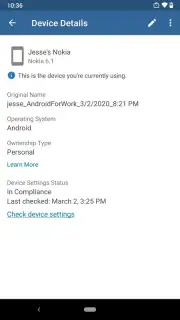
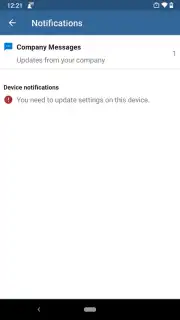
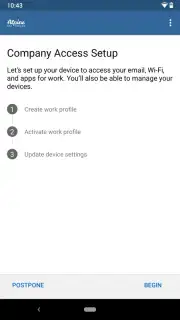
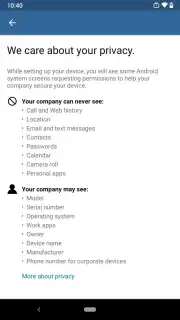
Description Company Portal
What if accessing your work resources was as simple as unlocking your phone?
For professionals and employees who need to connect to company data, applications, and email securely from their personal Android device, the Microsoft Company Portal app provides a centralized and managed gateway. It functions as a secure container, enabling access to corporate resources that have been approved and deployed by your organization's IT administrators. This approach separates work information from personal data on the same device, addressing core needs for both productivity and security without requiring a dedicated company phone.
Core Features and Managed Access
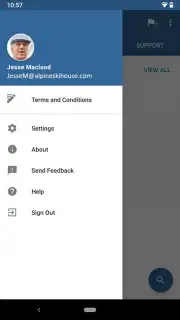
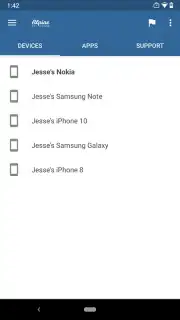
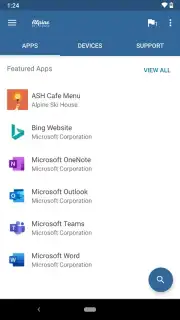
The app serves as the user-facing component for Microsoft Intune, an enterprise mobility management platform. Its primary mechanics revolve around secure enrollment and streamlined access. Upon your organization's configuration, you enroll your device, which allows IT to deploy the necessary work apps, configurations, and compliance policies. The portal then becomes a unified hub for these resources. You can install approved work apps directly from this portal, access internal company websites, and retrieve corporate documents. A key operational feature is its ability to remotely wipe only the managed company data from your device if it is lost, stolen, or when you leave the organization, leaving your personal photos, messages, and apps untouched.
Key Operational Advantages
The interface is designed for clarity, presenting all available work resources in a single, organized view. Performance is focused on reliability, ensuring that access to email, SharePoint sites, and line-of-business applications is consistent. The security model is a defining strength, utilizing modern authentication and conditional access policies that check device health before granting access to sensitive data. This creates a balance where employees can use a preferred device for work while IT departments maintain necessary security controls and data protection standards.
- Centralized Work App Hub: Install and launch all your organization's approved applications from one secure, managed location.
- Secure Corporate Resource Access: Connect to internal websites, documents, and data shares with enforced security policies.
- Selective Data Protection: Allows IT to protect company data separately, with remote wipe capabilities for work information only.
We suggest trying the Microsoft Company Portal to streamline your mobile work access if your organization supports it.
Heads up: you'll need Wi-Fi or mobile data for initial enrollment and to access most features. Some advanced management capabilities are configured and controlled by your company's IT department.
Information
| Version | 5.0.7068.0 |
| Developer | Microsoft Corporation |
| Requirements | Android Android 8.0+ |
| Updated | 14.09.2026 |
| Size | 93.77 MB |
| Package | com.microsoft.windowsintune.companyportal |
| Signature | D4:BE:19:F4:52:42:82:7E:5C:D1:52:E1:C8:0C:42:E4:EF:4B:76:51 |
| Architecture | x86, x86-64, armeabi, armeabi-v7a, arm64-v8a, mips, mips64 |


