

Computers Shortcut Keys screenshots (6)
Description Computers Shortcut Keys
Mastering Your Workflow Starts with a Single Keystroke
Navigating software and operating systems efficiently often requires memorizing dozens of keyboard shortcuts, a process that can be time-consuming and disrupt your workflow. This application serves as a centralized, interactive reference library designed to eliminate the need for constant online searches or forgotten commands, directly translating into measurable gains in productivity and reduced operational friction.
Core Functionality and Reference System
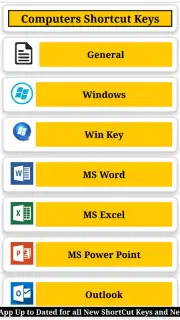
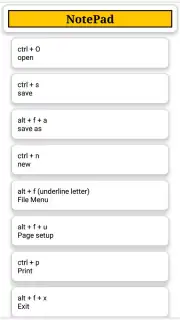
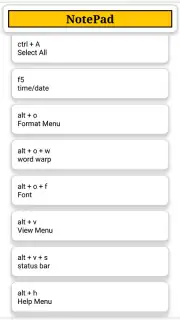
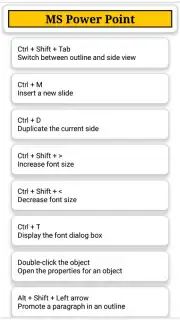
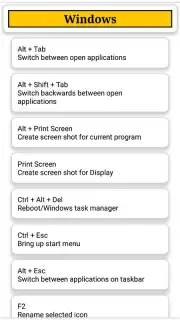
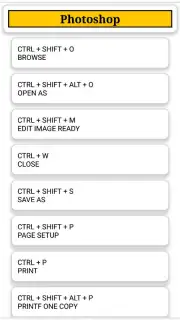
The application operates as a structured database, categorizing shortcut keys by software application, operating system, and function. Users can browse through logically organized sections or utilize a search function to locate specific key combinations. The core mechanics involve presenting the primary action alongside its corresponding keyboard shortcut in a clear, visual format. For many entries, the app provides contextual usage notes or alternative shortcuts for different versions of the same software, adding a layer of practical depth to the reference material. The interface is built for rapid consultation, allowing users to find, learn, and apply shortcuts with minimal interruption to their primary task on a computer.
Analytical Overview of Key Advantages
The utility of this tool is defined by its specificity and organizational clarity. Unlike a generic web search, it consolidates information into a portable, ad-free environment. The value proposition hinges on immediate access and structured learning, turning a reactive search for information into a proactive skill-building tool.
- Cross-Platform Shortcut Library: Contains dedicated sections for Windows, macOS, and major software like Microsoft Office, Adobe Suite, and browsers.
- Search-First Design Philosophy: Instant search functionality allows users to find shortcuts by command name or desired outcome.
- Categorized Learning Modules: Shortcuts are grouped by purpose, such as text formatting, navigation, window management, or system controls.
- Favorites and Custom Lists: Users can bookmark frequently used shortcuts for creating a personalized quick-access guide.
- Offline Accessibility: The entire database functions without an internet connection, ensuring reliability.
Download the App Now
Stop interrupting your creative or administrative flow to look up commands. Gain exclusive, immediate access to the complete shortcut key reference that streamlines computer interaction. Install today to start working smarter, not harder.
Disclaimer: This application requires a device running a compatible Android operating system. It may require an internet connection for initial updates or additional content. The app is free to download and use; please review the permissions required during installation. Data usage depends on update checks. Always ensure your device meets the minimum system requirements. Content is for informational purposes.
Information
| Version | 1.4 |
| Developer | Hamza javed |
| Updated | 17.03.2026 |
| Size | 5.6 MB |
| Package | com.appybuilder.hamza_7179680.ComputersShortcutKeys_TechnicalSavage |
| Signature | 634568d0524305af29b68760a12e7596 |


