


PDF Reader Classic screenshots (8)
Description PDF Reader Classic
A Practical Review of PDF Reader Classic
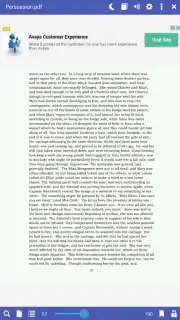
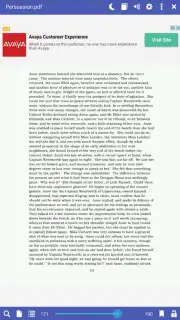
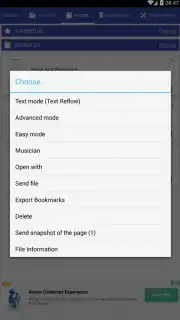
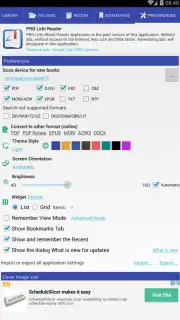
In the crowded field of document viewers, finding a single application that reliably handles a wide array of formats without excessive complexity is a common challenge. PDF Reader Classic by Librera addresses this directly, positioning itself as a utility-focused reader for Android. Its core function is to serve as a unified library for documents ranging from standard PDFs and EPUBs to more specialized formats like DjVu, CBZ comics, and AZW3 e-books. This eliminates the need to switch between multiple apps, consolidating your digital reading—whether it's a novel, a manual, or a comic book—into one primary interface.
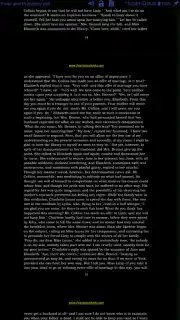
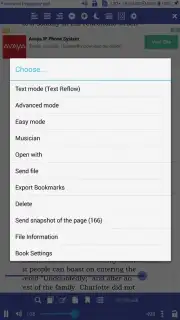
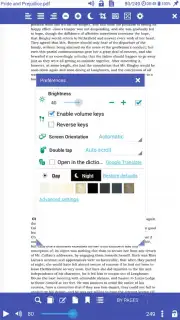
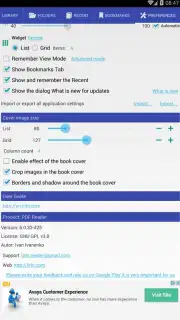
The application operates with two distinct viewing modes: Simple and Extended. The Simple mode offers a clean, distraction-free environment for straightforward reading. The Extended mode unlocks a broader set of tools and customization options. In both modes, the settings panel provides significant control over the visual experience. Users can select from several color themes for the application's interface and finely adjust screen brightness, a critical feature for reading in low-light conditions. An auto-brightness function is also available, allowing the app to adapt to ambient light. Notably, the app utilizes a Turbo system, which is presented as enhancing performance and removing advertisements, contributing to an uninterrupted reading session.
Feature Analysis
- Extensive format compatibility including PDF, EPUB, MOBI, DjVu, FB2, TXT, RTF, AZW, AZW3, HTML, and CBZ.
- Dual viewing architecture with a Simple mode for reading and an Extended mode for advanced functions.
- Customizable visual settings with multiple interface themes and granular brightness controls.
- Turbo-enabled operation for an ad-free experience and claimed performance improvements.
- Direct file system access to open documents stored locally on the Android device.
The utility of PDF Reader Classic lies in its breadth of support and configurable reading environment. It functions as a capable, no-frills hub for accessing a personal document collection without the overhead of a full-featured ecosystem. The separation of basic and advanced modes caters to both casual readers and those who prefer deeper control over page rendering and navigation.
Download PDF Reader Classic now and consolidate your entire document library into one efficient tool. Don't wait—get it immediately!
Note: This application requires an internet connection for initial setup and certain functions. It may offer in-app purchases for additional features.
Information
| Version | 9.4.8 |
| Developer | Librera |
| Requirements | Android Android 7.0+ |
| Updated | 06.09.2026 |
| Size | 36.85 MB |
| Package | classic.pdf.reader.viewer.djvu.epub.fb2.txt.mobi.book.reader.lirbi.libri |
| Signature | A4:0F:2F:32:B0:71:13:2A:0C:CA:D8:FA:1B:C4:AD:D3:16:B8:EB:92 |
| Architecture | x86-64 |


