


EasyLight screenshots (16)






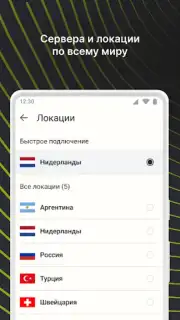
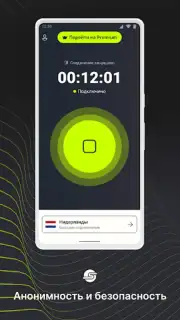





Description EasyLight
What if your phone could become a more versatile and intuitive source of light?
EasyLight transforms your device's hardware into a powerful, multi-purpose illumination tool. It moves beyond the basic flashlight function, offering a suite of calibrated light modes for practical, everyday situations. The interface is built around immediate access and precise control, allowing you to adjust brightness with a slider and switch between distinct light types with a single tap. This is not just an on/off switch; it's a considered utility application designed for reliability when you need to find a keyhole, signal for help, or create ambient lighting.
Features and Core Mechanics
The application provides direct control over your device's LED flash or screen to generate various forms of light. The primary mechanic is the selection of a specific light mode, each with a defined frequency, color, and persistence. For instance, the Strobe mode emits rapid, regular flashes useful for signaling or attracting attention, while the SOS mode automates the international distress signal pattern. A dedicated Screen Light mode turns your entire display into a soft, broad light source, which is easier on the eyes in dark environments. The core interaction is seamless: launch the app, and a bright, stable light is instantly active, with all secondary modes accessible from a clean, uncluttered overlay.
Key Advantages
The utility's main strength lies in its combination of simplicity for basic use and depth for specific needs. The design prioritizes zero-lag activation and battery-efficient operation, ensuring the tool is dependable. Visually, it employs high-contrast icons and a minimal layout that remains perfectly usable in both bright and dark conditions. Performance is optimized to prevent device overheating during prolonged use, and the absence of unnecessary permissions underscores a focus on privacy and core functionality.
- Multi-Mode Illumination: Switch between steady, strobe, SOS, and soft screen light.
- Precision Brightness Control: Fine-tune light intensity with a responsive slider.
- Instant One-Tap Activation: Launch the app to immediate, full-brightness light.
- Low-Overhead Design: Engineered for minimal battery and CPU usage.
- Offline Functionality: All core features work without an internet connection.
We suggest trying EasyLight for a more capable and reliable lighting solution directly from your device.
Download EasyLight now
Disclaimer: This application requires access to your device's camera LED flash or screen to function. An internet connection is not required for primary features. The app may contain optional advertisements. Please be mindful of your surroundings when using bright or flashing lights. Continued use of GPS running in the background can dramatically decrease battery life.
Information
| Version | 2.8.1181 |
| Developer | EasyLight |
| Requirements | Android Android + 6.0+ |
| Updated | 17.03.2026 |
| Size | 50.18 MB |
| Package | com.easylight.vpn |
| Signature | 634b21ddabeca58adf0a12491a3cdc2d |
| Architecture | armeabi-v7a, x86, arm64-v8a, x86_64 |


