


Zen Space screenshots (18)


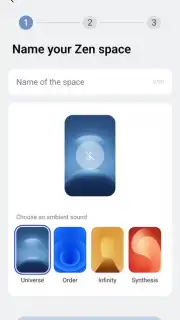

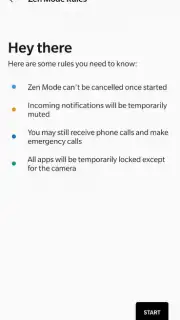



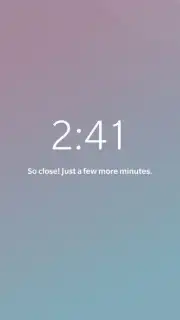
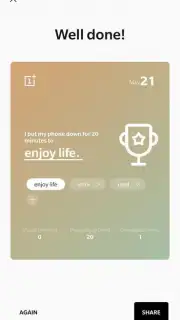
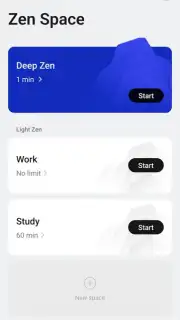

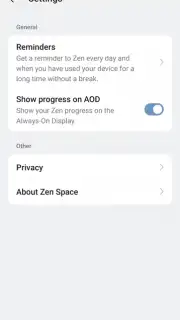




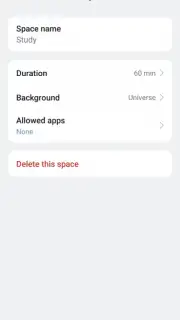
Description Zen Space
Ever Feel Like Your Phone Is Working Against Your Focus?
You sit down to finally tackle that project, reply to those important emails, or just enjoy twenty minutes of peace. You pick up your phone with the best intentions, but then a notification flashes, a social media icon beckons, and suddenly you’re scrolling, not solving. That frustrating tug-of-war for your attention ends right here. Zen Space by OnePlus is your official digital sanctuary, a powerful tool built into your device that transforms it from a source of distraction into a pillar of productivity or an island of calm. You decide the purpose, and your phone obediently complies, creating a protected, focused environment for exactly as long as you need it.
Your Device, Your Rules: Two Paths to Digital Tranquility
This isn’t just another lock-screen app. Zen Space integrates deeply with your OnePlus Android experience to offer two distinct, powerful modes. Think of it as having a personal focus coach and a digital detox specialist built right into your pocket. Whether your goal is laser-sharp efficiency or genuine mental rest, you set the parameters and let the app handle the boundaries. The interface is beautifully minimal, putting you in control with just a few taps, and the absence of any advertisements means your sanctuary remains completely unpolluted by commercial noise.
Craft Your Perfect Focus Session or Digital Escape
-
Light Zen Mode: Your Productivity Powerhouse. Activate this mode when you need to work, study, or create without the usual digital chatter. Your phone becomes a streamlined workstation, allowing access only to the essential apps you pre-select—think Gmail, Google Docs, Notion, or OneNote. A gentle, on-screen timer keeps you aware of your focused session, and you can even layer in a selection of calming, instrumental background tracks to drown out the world. Exiting is simple but intentional, requiring a tap on a clearly marked button, ensuring you don’t slip away on a whim.
-
Deep Zen Mode: Your Unbreakable Digital Retreat. This is where true disconnection happens. When you need a serious break, to read a book without temptation, meditate, or simply be present, Deep Zen is your answer. Once activated, it creates a virtually unbreakable bubble. All app access is blocked (except for the camera to capture moments), and all notifications are silenced. You can still receive vital phone calls and make emergency calls, but that’s the limit. You commit to a duration upfront, fostering a powerful sense of discipline and allowing for genuine mental reset until the session concludes.
-
Fully Customizable Ambiance. This is your space, so you get to decorate it. Dive into the app settings to personalize the experience. Choose from a gallery of serene background images that set the visual tone for your session. Select your preferred focus music or ambient sound from the available library, crafting the perfect auditory environment to match your task or mood, making every session uniquely yours.
Reclaim Your Time and Attention Starting Today
Stop fighting your device and start commanding it. Zen Space hands you the keys to your own concentration and peace of mind. It’s the simplest, most effective way to ensure your phone serves your goals, instead of derailing them. Whether you’re preparing for a crucial exam, powering through a work deadline, or desperately needing a screen-free moment to breathe, this app is your solution.
Download Zen Space now and transform your OnePlus into the ultimate focus and relaxation tool. Install it immediately and feel the difference from your very first session!
Heads up: For the optimal experience and to access all music and background features, a Wi-Fi connection is recommended. Some advanced customization options may be part of future updates.
Information
| Version | 16.7.1 |
| Developer | OnePlus |
| Requirements | Android Android + 12+ |
| Updated | 17.03.2026 |
| Size | 57.36 MB |
| Package | com.oneplus.brickmode |
| Signature | 0d2bb493d4c258eb105fa6e0d59ac47b |
| Architecture | universal |


