


CPU-Z screenshots (12)
Description CPU-Z
Understanding Your Device's True Specifications
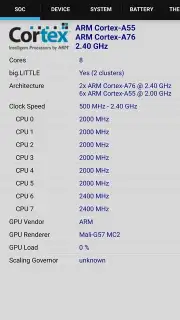
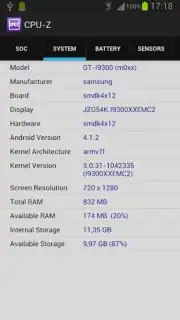
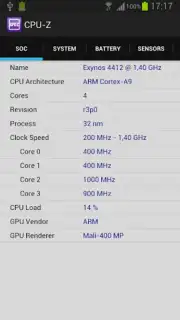
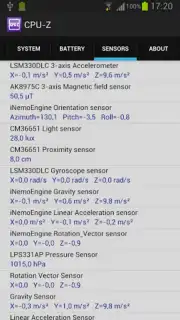
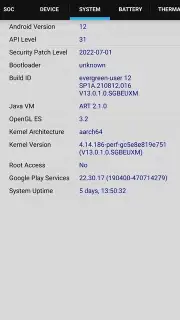
For users seeking to bypass generic system menus and access raw hardware telemetry, CPU-Z for Android provides a direct diagnostic interface. This utility mirrors the functionality of its established Windows counterpart, delivering unfiltered system parameter reporting without requiring root access or elevated permissions. It operates as a portable hardware inventory tool, parsing data that is typically obscured within Android's abstraction layers.
Technical Analysis and Feature Set
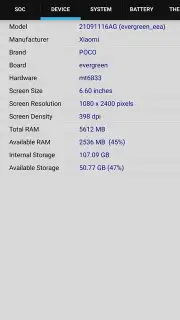
The application performs real-time interrogation of the primary SoC (System on a Chip), detailing core architecture, clock speeds for each CPU cluster, and active multiplier values. It extends its analysis to memory subsystems, identifying the manufacturer, model type, and operational frequency of both RAM and storage components. Display diagnostics include native panel resolution and refresh rate reporting, alongside GPU renderer identification.
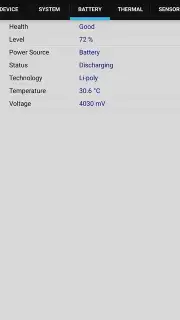
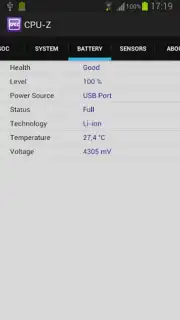
A dedicated battery monitoring section logs charge level, health status, real-time temperature, and current voltage. The software's notable technical characteristic is its passive data collection method; it retrieves this information through standard Android APIs without requesting invasive permissions for contacts, location, or storage, differentiating it from utilities that require broader system access. While the application carries a beta designation, its data polling speed and alignment with known hardware benchmarks indicate a high degree of measurement accuracy.
- Provides detailed CPU architecture, core clocks, and multiplier data.
- Identifies RAM manufacturer, model type, and operational frequency.
- Reports native screen resolution, density, and GPU information.
- Monitors battery health, temperature, voltage, and charge cycles.
- Functions without special permissions or root access requirements.
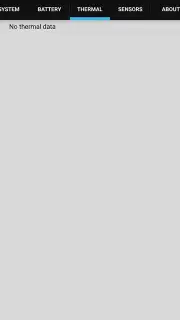
We suggest trying CPU-Z if you require a technical system profile for benchmarking, hardware validation, or thermal monitoring.
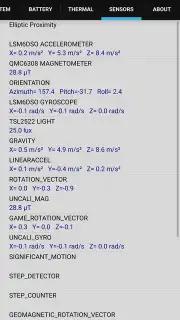
Heads up: you'll need wifi for initial app download. Some advanced sensor logging is extra.
Information
| Version | 1.54 |
| Developer | CPUID |
| Requirements | Android Android + 6.0+ |
| Updated | 17.03.2026 |
| Size | 4.64 MB |
| Package | com.cpuid.cpu_z |
| Signature | 10880aeda1454b282be8b4520349f856 |
| Architecture | armeabi-v7a, x86, arm64-v8a, x86_64 |


