


CreArt screenshots (16)


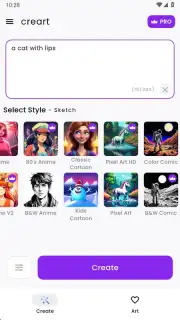
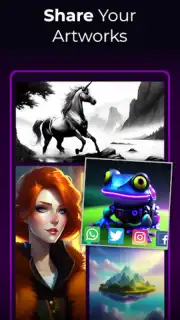
Description CreArt
Imagine a blank digital canvas, not as a daunting void, but as a space of infinite potential where your ideas, however rough, can be shaped into professional artwork with a few thoughtful gestures. This is the core proposition of CreArt, a mobile studio that bridges the gap between creative intent and polished execution, transforming the complex process of digital art into an intuitive, flowing experience.
A Comprehensive Toolkit for Digital Creation
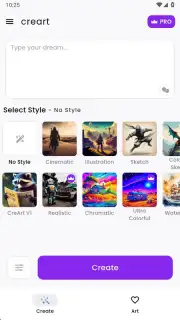
CreArt functions as a consolidated creative suite, built around a responsive, layer-based painting engine that feels natural under a fingertip or stylus. The core mechanic involves a versatile brush library, where each tool—from textured oil paints to precise ink liners—is calibrated with adjustable opacity, flow, and blending modes to mimic real-world media. Beyond freehand painting, the app incorporates intelligent shape assists and perspective guides, allowing users to construct clean architectural sketches or geometric designs without manual measurement. A central feature is its non-destructive editing workflow; every stroke, fill, and filter adjustment resides on its own layer, enabling artists to experiment, revise, or completely rework elements of a composition without starting anew. The environment is designed for deep focus, with a customizable UI that can hide all controls for an unobstructed view of the artwork.
Why CreArt Stands Out in a Crowded Field
The advantage of CreArt lies not in a single gimmick, but in the thoughtful cohesion of its systems. Performance is prioritized, ensuring the canvas remains fluid and responsive even with dozens of high-resolution layers, a common bottleneck in mobile art apps. The user experience is streamlined for a small screen—essential tools are accessible via radial menus and gesture shortcuts, minimizing tedious menu diving. Visually, the interface adopts a minimalist, dark-themed aesthetic that reduces eye strain during long sessions and keeps the user's attention on their creation. It is this balance of professional-grade capability and mobile-first design that makes it a compelling tool for both seasoned illustrators sketching on the go and beginners learning foundational digital art principles.
- Layer-based non-destructive workflow
- Customizable brush engine with blending
- Perspective guides and shape assists
- Minimalist, customizable dark UI
Download CreArt now and transform your device into a professional art studio. For a limited time, new users receive exclusive access to a premium brush pack to start their creative journey.
Heads up: you'll need wifi for initial download and cloud sync features. Some advanced brush sets and export templates are available as optional extras. Requires Android 7.1 or newer.
Information
| Version | 2.7.2 |
| Developer | Waitos AI |
| Requirements | Android Android + 7.1+ |
| Updated | 17.03.2026 |
| Size | 32.93 MB |
| Package | ai.aiart.aiartgenerator.creart |
| Signature | f767936fe07d879f845b1e0c0f769e91 |
| Architecture | armeabi-v7a, arm64-v8a |


