

DataSync screenshots (4)
Description DataSync
Ever feel like your digital life is scattered across a dozen different apps and platforms? Your photos are in one cloud, your documents in another, and trying to share a file with a friend becomes a frustrating game of 'which link works?'. It’s time to bring everything together.
DataSync is your intelligent hub for seamless digital harmony. This powerful social utility app acts as a universal bridge, allowing you to connect, sync, and share data between your most-used services and devices with unprecedented ease. Whether you're moving photos from your phone to a cloud drive, sharing a large project folder with a team, or simply backing up your contacts, DataSync handles it with a single, streamlined workflow. It intelligently manages transfers in the background, supports scheduled syncs, and ensures your data flows securely between points A and B without you ever needing to manually upload or download files from multiple sources.
Core Functionality & Tools
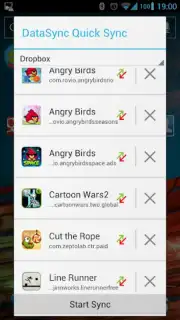
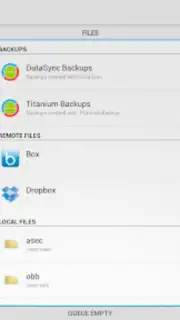
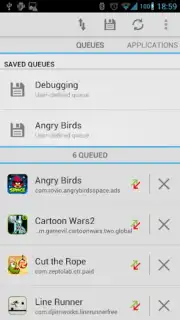
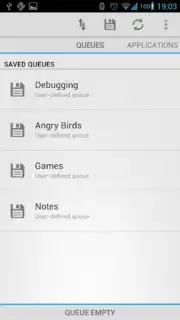
DataSync transforms complex data management into a simple, visual process. The app presents a clean dashboard where you link your various accounts—from cloud storage and social media to local device folders. Once connected, you create custom "Sync Flows"—rules that dictate how and when data moves. For instance, you can set a flow to automatically upload every new photo from your camera roll to two different cloud services simultaneously, or to mirror a work document folder across your phone, tablet, and desktop-linked storage. The app features a robust file previewer, transfer queue management with priority settings, and detailed logs for every action.
Key Advantages
Why does DataSync stand out in the social utility space? It combines raw power with exceptional user experience. The interface is intuitively designed for clarity, using clear icons and progress indicators so you’re never left guessing about a transfer's status. It operates with remarkable efficiency, optimizing battery and data usage during syncs. Visually, it’s a clean, modern app that focuses on your content, not clutter. Performance is paramount; it utilizes smart compression and resume capabilities for interrupted transfers, ensuring reliability even with large files or unstable connections.
- Universal Cloud & App Connector
- Custom Automated Sync Flows
- Background & Scheduled Transfers
- Secure, Encrypted Data Pathways
- Detailed Transfer History & Logs
- Minimal Battery & Data Consumption
Stop juggling your digital pieces. Let DataSync weave them into a perfectly synchronized tapestry. Download the app now and experience the freedom of effortless data flow.
Disclaimer: DataSync requires an internet connection for syncing between cloud services and for initial setup. The app is free to download and use with standard sync features; optional premium subscriptions may unlock advanced flow automation, increased transfer speeds, and expanded cloud service connections. Some linked third-party services may have their own terms, conditions, and age restrictions. Data handling is subject to the app's Privacy Policy.
Information
| Version | 2.2.5 |
| Developer | Quint Stoffers |
| Requirements | Android Android + 7+ |
| Updated | 17.03.2026 |
| Size | 755.17 KB |
| Package | com.quintstoffers.DataSync |
| Signature | fe8b98530a3ad2b013f9a33e037b933a |


