


Describe with pictures screenshots (9)




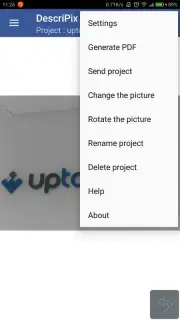
Description Describe with pictures
Stop Letting Your Pictures Do All the Talking
A single image can capture a moment, but it often fails to convey the full story, the crucial detail, or the specific instruction. You are left with a beautiful photo that requires a lengthy caption or a separate message to explain its context. This process fragments your communication. DescriPix transforms this dynamic by turning your static photographs into rich, interactive canvases for information. This application provides the tools to layer context directly onto your visuals, ensuring your message is delivered completely and elegantly in one place.
Annotate Images with Layers of Meaning
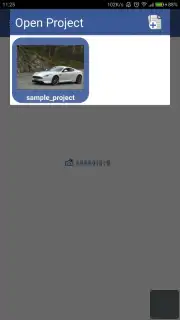
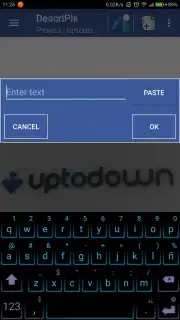
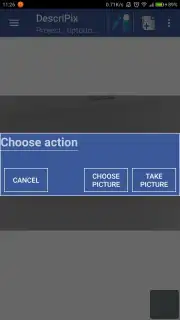
The core functionality allows you to annotate any picture with precision. You begin by either capturing a new photo using the integrated camera or selecting an existing image from your device's gallery. Once your base visual is set, you enter an editing space designed for clarity and detail. Here, you can embed text boxes to highlight features, draw arrows to point out specific elements, or place icons for visual guidance. The ability to add hyperlinks directly onto the image surface transforms a simple photo into a gateway to more information, such as a website, a map location, or a product page. Furthermore, you can overlay additional smaller images or stickers onto the main photo, creating detailed collages or step-by-step visual guides within a single frame.
Create Comprehensive Visual Guides
This tool moves beyond simple photo editing into the realm of visual communication. You can construct detailed tutorials and instructional guides by sequencing annotated images. The process is ideal for creating simple setup manuals, recipe cards with embedded tips, or troubleshooting guides where each photo clearly illustrates a step. For work or education, you can annotate screenshots with feedback, diagrams with explanatory notes, or project visuals with action items. It serves as a platform for mini-courses where each image is a lesson slide packed with layered information. The absence of advertisements ensures an uninterrupted creative flow, allowing you to focus entirely on building your content.
- Direct Capture and Gallery Import: Seamlessly take a new photo or choose any existing image from your library as the foundation for your project.
- Multi-Format Annotations: Enhance photos with customizable text, functional web links, drawn shapes, arrows, and freehand sketches for precise commentary.
- Image-on-Image Layering: Overlay secondary pictures or icons onto your main photograph to create composite guides, comparisons, or detailed visual instructions.
- Ad-Free Editing Environment: Experience a clean, focused workspace without disruptive advertisements, facilitating deeper concentration on creating your content.
- Turbo-Enhanced Performance: Benefit from optimized processing speeds for smoother editing, faster rendering, and quicker export of your final annotated images.
Start transforming your photos into powerful, self-explanatory communication tools. Download the DescriPix mobile app now and give your images the voice they deserve.
Disclaimer: An internet connection may be required for certain features, including accessing linked web content. The application may offer optional in-app purchases for premium functionalities or enhanced tools.
Information
| Version | 3.1.2 |
| Developer | vin.sans.appli |
| Requirements | Android Android + 7.1+ |
| Updated | 17.03.2026 |
| Size | 17.84 MB |
| Package | com.descripix.app |
| Signature | 315dffbb23e15d831431bcec3323d68c |
| Architecture | armeabi-v7a, arm64-v8a |


