


Docs Viewer screenshots (7)
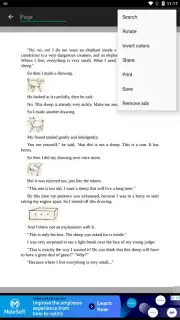
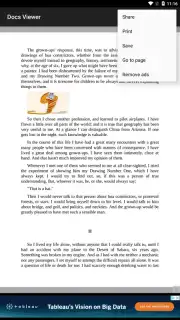

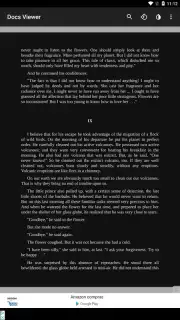
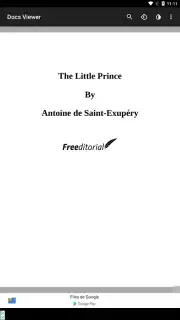
Description Docs Viewer
The Universal Document Dilemma
You receive a critical PDF report on your phone, but your current viewer struggles with the formatting. An architect emails you a detailed DWG blueprint, and you need a quick check without desktop software. A colleague shares a presentation, but the animations are broken. This fragmentation across file types creates daily friction, turning simple document access into a technical chore. A truly universal document viewer is not a luxury; it's a necessity for modern mobile productivity.
Core Functionality and Analytical Overview
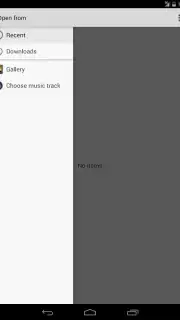
Docs Viewer operates on a principle of comprehensive format support and streamlined access. The application functions as a centralized hub, eliminating the need to juggle multiple specialized apps. Its primary mechanic is rapid file parsing and rendering, providing a consistent viewing experience whether the document is stored locally, in cloud storage, or arrives as an email attachment. The interface is built around a clean file browser and a minimalist, yet powerful, viewer that prioritizes the content itself.
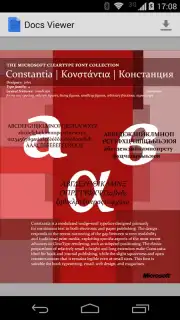
The tool distinguishes itself through its robust handling of both common and professional formats. Beyond standard PDFs, DOCX, and PPTX files, it provides reliable rendering for niche formats like AutoCAD's DWG and DXF, e-books in EPUB and MOBI, and even legacy formats like RTF and TXT. Performance is tuned for quick document indexing and smooth scrolling through complex, multi-page files, with a focus on preserving original layouts, fonts, and embedded images. The search function within documents is notably swift, allowing for keyword pinpointing in lengthy texts.
Key Operational Advantages
- Extensive Format Library: Opens over two dozen file types including PDF, DOC, XLS, PPT, DWG, EPUB, and images without conversion.
- Integrated File Management: Browse, open, and organize documents from local storage, Google Drive, Dropbox, and other cloud services seamlessly.
- Optimized Reading Tools: Utilize smooth zoom, text reflow, night mode, and precise page navigation for comfortable viewing on any screen.
Get it immediately! Stop compromising with limited viewers and equip your device with the definitive tool for professional and personal document handling. Download now!
Disclaimer: Requires Android 4.1 or later. An internet connection may be required for accessing cloud storage services and for initial app updates. The app may contain optional in-app purchases for advanced features. Data usage depends on document size and cloud service synchronization. Please review the app's data policy for details on privacy and information handling.
Information
| Version | 18.0.2 |
| Developer | Melting Source |
| Requirements | Android Android + 4.1, 4.1.1+ |
| Updated | 17.03.2026 |
| Size | 6.69 MB |
| Package | com.meltingsource.DocsViewer |
| Signature | b19e5af6d16ee0ec21005eeb30af1ec8 |
| Architecture | armeabi-v7a |


