


Dolphin Browser HD screenshots (8)





Description Dolphin Browser HD
Navigating the Web on Android: A Functional Review of Dolphin Browser HD
The default browser on many Android devices often provides a basic, utilitarian experience, lacking the advanced tools and customization that power users seek for efficient mobile web navigation. Dolphin Browser HD positions itself as a comprehensive solution, moving beyond simple page rendering to offer a suite of productivity-enhancing features directly within its framework. This analysis examines its core mechanics to determine if it delivers a genuinely optimized alternative for daily use.
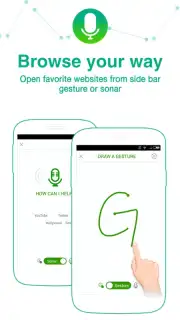
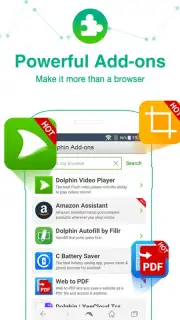
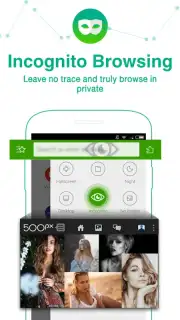
The application's architecture is built around several distinct tools designed to minimize taps and streamline interaction. The Sonar voice control system functions as a hands-free command center, interpreting natural speech to execute searches, navigate to specific URLs, or manage social media posts without manual input. For tactile control, the browser implements a robust gesture system, allowing users to define custom finger strokes on the screen—such as drawing a letter or symbol—to instantly launch favorite sites or perform actions like refreshing. Furthermore, the browser's functionality is modular, supported by an extensive add-on ecosystem with over sixty extensions. These plugins act as discrete modules, enabling users to integrate services like password managers, ad blockers, and note-taking tools directly into the browsing interface, creating a highly personalized environment.
- Voice-Activated Command Suite (Sonar): Enables hands-free web search, bookmarking, and social media management through vocal instructions.
- Fully Customizable Gesture Controls: Allows creation of personal screen drawings to instantly launch websites or execute browser commands.
- Expansive Add-On Library: Access to sixty-plus extensions to block ads, enhance downloads, integrate notes, and tailor the browser’s core capabilities.
Get your bonus of streamlined, feature-rich browsing today by integrating these powerful tools into your daily routine.
Download mobile app now
Disclaimer: This application requires an internet connection. It may contain in-app purchases or offers. Data usage charges may apply depending on your network plan. Please review the app's permissions and privacy policy before installation. Not all features may be available in all regions.
Information
| Version | 12.4.2 |
| Developer | Dolphin Browser |
| Requirements | Android Android + 4.1, 4.1.1+ |
| Updated | 17.03.2026 |
| Size | 16.78 MB |
| Package | mobi.mgeek.TunnyBrowser |
| Signature | b73bc7b7b1ea31d12deb467fb41eca84 |
| Architecture | armeabi, arm64-v8a |


