


DS file screenshots (10)


Description DS file
Is Your Mobile File Management Holding You Back?
For users invested in the Synology ecosystem with a NAS running DSM 6.2 or later, the central challenge often becomes accessing that powerful local storage from a mobile device. DS file addresses this directly, functioning as a dedicated, secure portal between your Android device and your Synology NAS. It establishes a private, HTTPS-encrypted tunnel for file operations, transforming the NAS from a static home device into a dynamic, pocket-sized server. This review examines whether the application delivers the granular control and reliable performance required for both personal media libraries and professional document handling without resorting to third-party cloud services.
Core Mechanics and Analytical Overview
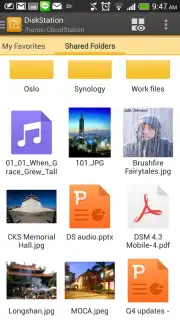
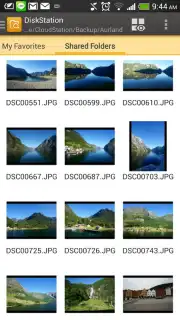
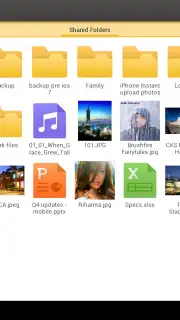
The application operates on a client-server model, bypassing consumer cloud storage by connecting your device directly to your personal NAS. The interface is logically structured, presenting a familiar file directory view that mirrors the folder architecture on your Synology. File management actions—copying, moving, renaming, or deleting—are executed server-side, meaning changes are instant and reflected across all connected devices. A significant technical point is its support for background uploading and downloading; you can initiate a large file transfer and switch to another task without interrupting the process. For media consumption, the app includes integrated viewers and players that can stream video and audio directly from the NAS, eliminating the need to download files fully before playback, which is a considerable efficiency gain for larger files.
The security model is a foundational feature, not an afterthought. All communications default to HTTPS, ensuring data in transit is encrypted. Access is governed by the precise user permissions set within DSM, meaning you can share a specific folder link with colleagues or family while keeping the rest of your storage private. For professionals, the ability to remotely open, edit, and save documents back to the NAS creates a viable workflow for mobile productivity. The absence of advertisements and in-app purchases for core functionality results in a clean, focused user experience dedicated purely to file management.
Detailed Feature Breakdown
- Secure Remote NAS Access: Establish encrypted HTTPS connections to your Synology NAS for safe file browsing and management from any location.
- Comprehensive File Operations: Perform full actions including copy, move, rename, delete, and compress files or folders directly on your NAS storage.
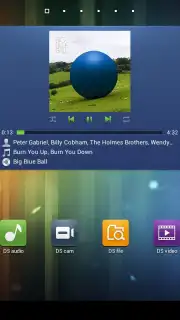
- Integrated Media Streaming: Stream video and audio files directly without full downloads using the built-in player, saving device storage.
- Background File Transfers: Reliably upload photos or download documents in the background while using other applications on your phone.
- Advanced Sharing & Link Creation: Generate password-protected sharing links for files and folders with customizable expiry dates and download limits.
This is a tool that demonstrates its value through consistent utility rather than flashy features. Its design philosophy centers on providing transparent, reliable access to a known storage system. For the user with a Synology NAS, it effectively closes the loop, making the substantial investment in private cloud hardware fully accessible from a primary mobile device. The functionality it provides—streaming, secure sharing, and seamless file transfers—are executed with a commendable lack of friction.
Download the DS file mobile app now—this is exclusive, direct access to your private data cloud. Limited-time seamless integration for Synology users ensures your workflow stays uninterrupted.
Internet required. IAP available.
Information
| Version | 4.17.2 |
| Developer | Synology Inc. |
| Requirements | Android Android + 8.0+ |
| Updated | 17.03.2026 |
| Size | 34.85 MB |
| Package | com.synology.DSfile |
| Signature | 8af4deb57eb2ffb6ec18ad699f68ed6e |
| Architecture | armeabi-v7a, x86, arm64-v8a, x86_64 |


