


EasyShare screenshots (8)
Description EasyShare
Imagine needing to send a large video from your phone to a colleague, but email limits the size and cloud uploads are slow. This is the core problem that file transfer utilities aim to solve, and EasyShare by Vivo positions itself as a direct, device-to-device solution. The application functions as a local file manager and transfer portal, eliminating the dependency on internet connectivity or account registrations for basic sharing operations. Its operational premise is straightforward: establish a direct wireless connection between two Android devices to facilitate the movement of data.
Core Functionality and User Interface
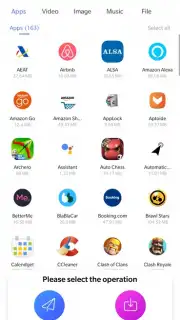
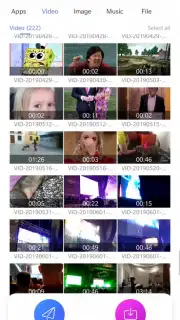
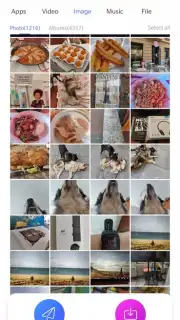
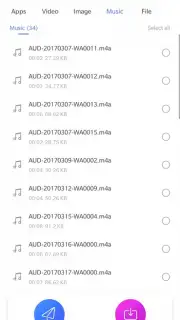
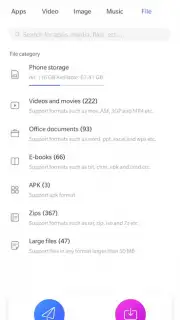
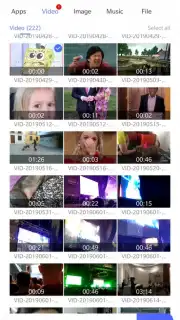
Upon launching EasyShare, the user is presented with an organized catalog of the device's internal storage. The interface segments content into distinct, scrollable categories: installed applications and games, followed by dedicated sections for videos, images, music, and documents. This categorical presentation serves a dual purpose. Primarily, it allows for quick navigation and file selection without requiring the user to traverse complex directory trees. Secondarily, it provides an immediate overview of transferable content types. The transfer process is initiated by selecting one or multiple items from these categories. A practical feature is the pre-transfer calculation, which displays the total file size and provides an estimate of the required storage space on the receiving device before the connection is finalized.
Connection Protocols and Transfer Mechanics
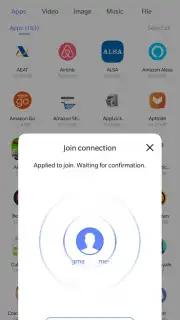
The application employs multiple connection methods to establish a peer-to-peer link. The primary and promoted mode is a high-speed local wireless transfer, which does not consume mobile data. For devices where this direct Wi-Fi-based handshake is not feasible, EasyShare offers fallback options. Users can initiate a transfer via classic Bluetooth or utilize a QR code system. In the latter mode, the sending device generates a unique QR code, which the receiving device must scan using its own instance of the EasyShare app to establish the connection. This multi-protocol approach is designed to ensure compatibility across a wider range of device configurations and network environments. The transfer itself is conducted without file size restrictions and supports the full spectrum of common file formats, from APK installation packages to multimedia and office documents.
- Categorized File Management: The app automatically scans and displays device content in sorted sections like Apps, Videos, and Music for streamlined selection.
- Multi-Protocol Transfer: Supports high-speed direct Wi-Fi, Bluetooth, and QR-code-based connections for flexible device pairing.
- Pre-Transfer Analytics: Calculates and displays the total size of selected files to inform the receiver of required storage space before sending.
For users frequently exchanging files between Android devices in environments with poor internet, a tool like EasyShare provides a focused utility. Consider downloading EasyShare to handle local file transfers without intermediary services.
Internet required for initial download. IAP available.
Information
| Version | 7.0.14.2 |
| Developer | Vivo Communication Technology Co. Ltd |
| Requirements | Android Android + 5.0+ |
| Updated | 17.03.2026 |
| Size | 44.78 MB |
| Package | com.vivo.easyshare |
| Signature | cb3817d94474ee58ab37d0825bd25f69 |
| Architecture | armeabi-v7a, arm64-v8a |


