

eBuddy Messenger screenshots (4)
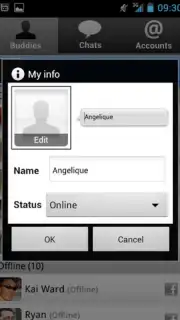



Description eBuddy Messenger
The Universal Chat Dilemma: One App, Many Networks
Managing multiple chat applications simultaneously is a common frustration in today's fragmented digital communication landscape. Each platform requires its own installation, login, and interface, leading to cluttered notifications and inefficient switching. eBuddy Messenger for Android directly addresses this core inefficiency by consolidating access to a wide array of major social and chat networks into a single, streamlined application. It is the mobile evolution of the legacy desktop client once known as Meebo, preserving its foundational multi-network functionality while optimizing it for on-the-go use. This tool is engineered for users who maintain active conversations across different ecosystems but seek to centralize their communication workflow without sacrificing the native features of each service.
Centralized Communication Architecture
The primary operational mechanic of eBuddy Messenger is its unified login and session management system. Instead of operating as a mere notification aggregator, the app establishes direct connections to each supported platform—including MSN (Windows Live Messenger), Facebook, Yahoo!, MySpace, Google Talk (GTalk), ICQ, and AIM (AOL). This architecture means all chats occur within eBuddy's own interface, creating a consistent user experience regardless of the underlying protocol. A significant functional highlight is the application's Turbo mode, which enhances connection stability and speed while reportedly removing advertisements from the chat interface, contributing to a cleaner and more reliable messaging session.
Beyond basic connectivity, the application incorporates a full suite of standard communication tools expected from a mature chat client. Users can set custom avatars, utilize extensive libraries of emoticons, and organize contacts into defined groups for easier management. The application is notably lightweight, designed to consume minimal system resources and battery life, which includes efficient background operation to maintain message delivery without being a constant drain on device performance. This makes it a practical solution for staying connected across all networks without the overhead of multiple standalone apps running concurrently.
Core Feature Integration
- Multi-Protocol Unified Inbox: Log into and manage concurrent sessions across seven major chat networks from one centralized conversation list.
- Turbo-Enhanced Performance: Activate Turbo mode for improved connection reliability and an ad-free messaging environment during use.
- Full Chat Toolset: Utilize profile avatars, diverse emoticon packs, and contact grouping to personalize and organize your communication.
This application presents a tangible solution for reducing digital clutter. By eliminating the need to install and switch between numerous dedicated apps, it streamlines the user's communication process into a single, efficient hub.
Download eBuddy Messenger now and unify your chats.
Disclaimer: This application requires an active internet connection. It facilitates connections to third-party services; users must comply with the terms of service of each respective platform. The developer may offer in-app purchases. Use of this app involves data transmission over your network. Please be aware of your data plan terms. This product is intended for a general audience.
Information
| Version | 3.6.1 |
| Developer | eBuddy |
| Updated | 17.03.2026 |
| Size | 3.88 MB |
| Package | com.ebuddy.android |
| Signature | b4057c8b226a4291e9ffb45883afc321 |


