

Fake GPS Location Changer App screenshots (8)

Description Fake GPS Location Changer App
Control Your Digital Coordinates
Managing your location data across apps and services often requires more granular control than standard device settings provide. This utility enables users to manually set a simulated GPS position for their device, offering a technical solution for scenarios where a real-world location is either unavailable, undesirable, or needs to be masked for privacy or testing purposes.
Core Functionality and Operational Tools
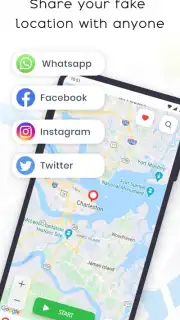
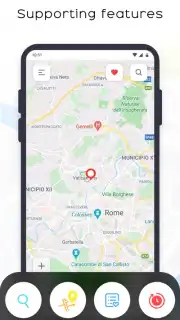
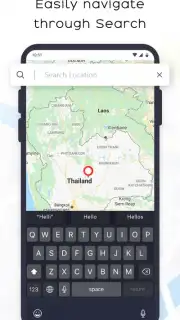
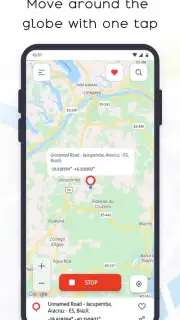
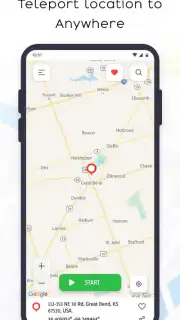
The application functions as a system-level GPS spoofer, allowing you to override your device's native location services. The primary interface is a fully interactive world map where you can search for any address or manually drop a pin to set your desired fake location. Once a location is selected, you activate the spoofing service, after which most other applications on your device will read the set coordinates as your genuine GPS data. The tool includes features for saving favorite locations for quick access, simulating movement along a pre-defined route by setting multiple waypoints, and adjusting the precision of the simulated signal to appear more realistic to location-aware apps.
Key Technical and Usability Advantages
The utility is designed for straightforward operation with minimal setup, requiring only the enabling of developer options and mock location settings on the Android device. The visual presentation centers on a clean, responsive map interface that facilitates precise location selection. Performance is focused on providing a stable spoofing signal with low battery impact, and the ability to instantly stop the service and revert to your real GPS location with a single tap is a critical functional advantage.
- Interactive Map Selection: Set any global coordinate by searching or manually placing a pin on a detailed map interface.
- Movement Simulation: Create a route with multiple stops to simulate realistic travel between points for advanced testing.
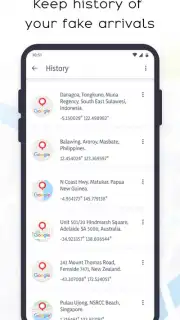
- Favorites & History: Save frequently used locations and review past selections for efficient repeated use.
- Instant Toggle Control: Activate or deactivate the fake GPS service immediately with a dedicated button.
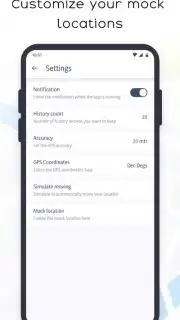
- Adjustable Location Parameters: Fine-tune the altitude, accuracy, and speed of your simulated position for depth.
Start managing your device's location data with precision. Download the mobile app now to configure your digital whereabouts.
Disclaimer: This application requires an internet connection for initial map loading and address search. Use of this tool must comply with all applicable laws and the terms of service of other applications. Misrepresentation of location in certain apps (e.g., for fraud or circumventing geo-restrictions) may result in account penalties. This is a utility tool and does not guarantee functionality with all location-based services. Requires enabling "Developer Options" and setting the app as a "Mock Location" provider on your Android device.
Information
| Version | 1.0.6 |
| Developer | Quick Apps Lab |
| Requirements | Android Android + 5.1+ |
| Updated | 17.03.2026 |
| Size | 7.02 MB |
| Package | com.fakelocator.fakegpslocationspoofer |
| Signature | 5e56202ae3e21d62715ee60defb931eb |
| Architecture | universal |


