


Fake GPS location screenshots (6)


Description Fake GPS location
A Practical Review of Location Simulation Tools
The ability to digitally reposition a smartphone's GPS signal has evolved from a niche technical trick into a widely used utility for various legitimate purposes. This application provides a controlled interface for managing a device's apparent location data, allowing users to simulate movement or set a static point anywhere on the global map. The core function operates by intercepting and overriding the standard location services provided by the operating system, feeding chosen coordinates to other applications that request geolocation data. This process requires specific system-level permissions to function correctly, typically enabled through developer options on the device.
Core Functionality and Operational Workflow
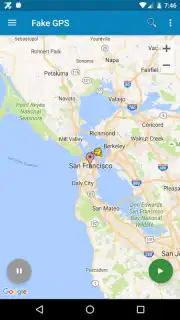
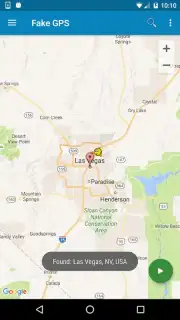
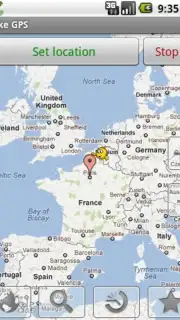
Upon launching, the primary interface presents an interactive world map. The initial step involves searching for or manually navigating to a desired target location with a high degree of precision. The tool's accuracy allows for placement down to specific coordinates, making it advisable to zoom in on the map for pinpoint placement within a city, neighborhood, or even a particular landmark. Once the target is set, activating the simulation is a one-tap process, after which the device will consistently broadcast the selected coordinates. All other installed applications, including social platforms, games, and navigation services, will receive this fabricated location as genuine data until the service is manually deactivated.
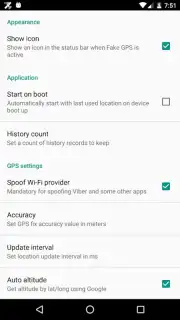
Termination of the simulation is handled through the same utility. Re-opening the application and selecting the stop function instantly restores the device's native GPS functionality, returning location reporting to its actual physical state. A practical feature is the automatic saving of recently used fake locations, creating a history list. This allows users to quickly re-enable a previous simulation without the need to manually re-enter or search for the same coordinates again, streamlining repeated use for testing or access scenarios.
Key Features and Technical Observations
- Precision Placement: Enables selection of specific map coordinates with high accuracy for convincing location simulation.
- One-Tap Activation: Instantly switches the device's reported GPS location to the pre-selected point on the map.
- Persistent Simulation: Maintains the fake location across all apps until manually stopped via the control interface.
- Location History: Automatically saves used coordinates for quick reactivation without repetitive searching.
- System-Level Integration: Functions by providing mock location data to the operating system for other apps to consume.
The utility of such a tool extends to developers testing location-based app features, users accessing region-restricted content or services, and individuals managing privacy in applications that over-share location. It is a technical solution that decouples digital location from physical presence. Operation requires a stable internet connection for initial map loading and address search, though the simulation itself can often continue offline once set.
Start controlling your digital footprint today.
Download mobile app now
This application requires an internet connection for mapping services and may require enabling mock location features in your device's system settings. Use in accordance with platform terms of service.
Information
| Version | 2.1.2 |
| Developer | Lexa |
| Requirements | Android Android + 5.0+ |
| Updated | 17.03.2026 |
| Size | 2.49 MB |
| Package | com.lexa.fakegps |
| Signature | 9485e70d4f3513b4d12a706533c48baa |
| Architecture | universal |


