


Files by Google screenshots (8)

Description Files by Google
Looking for a definitive tool to organize the digital clutter on your Android phone?
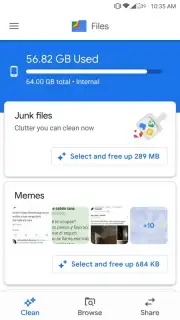
Files by Google, the official file management utility from the search giant, provides a structured and surprisingly powerful solution. It moves beyond basic file browsing to function as a comprehensive storage analyst and cleanup wizard. The application operates through two primary, intelligently designed tabs that systematically address both storage bloat and file disorganization, transforming a typically chaotic process into a manageable one.
Core Functionality and Analytical Tools
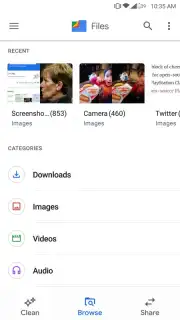
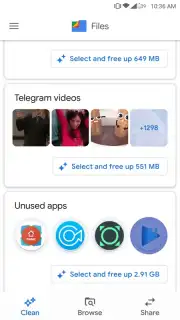
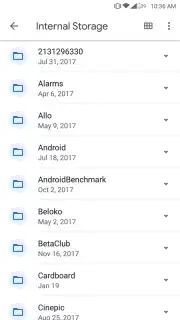
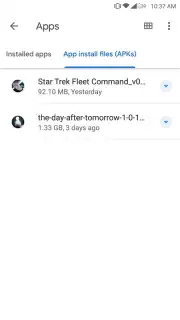
The 'Storage' tab serves as a diagnostic dashboard, offering an immediate visual breakdown of what is consuming space on your device. It doesn't just list folders; it proactively highlights categories like duplicate files, large folders, and unused applications—those not opened in over 30 days. This targeted analysis allows for precise cleanup actions rather than guesswork. The separate 'Files' tab delivers a traditional, yet clean and fast, file explorer interface for direct navigation through every directory and subfolder on your internal storage and SD card.
A significant advantage is the complete absence of advertisements, which is complemented by performance-enhancing features like Turbo mode for faster file operations. The app’s notification panel is configurable, allowing you to set alerts for low storage conditions, unused apps, or when specific folders grow beyond a set size. This turns the app from a reactive tool into a proactive storage management system that helps prevent problems before they impact your device's performance.
Key Advantages for Systematic Management
- Proactive Storage Analysis: Identifies junk files, duplicates, and unused apps with clear visual metrics, enabling informed deletion decisions.
- Ad-Free Experience with Turbo Boost: Operates without intrusive ads and includes a Turbo mode to accelerate file transfers and cleanup processes.
- Configurable Smart Notifications: Set custom alerts for low storage, bloated folders, or dormant apps to maintain system health automatically.
Files by Google excels by simplifying complexity. It provides the granular control power users might seek while remaining accessible enough for anyone to free up gigabytes of space safely. The tool effectively bridges the gap between a simple file viewer and a sophisticated storage utility, making ongoing device maintenance a routine task rather than a burdensome chore.
Download mobile app now to take command of your device's storage and optimize its performance.
Disclaimer: This application requires an internet connection for some features and updates. It is intended for use on Android devices. Please be aware of your mobile data usage. The app may access device storage and application data to provide its core functionality. Always review the data safety and permissions details on the official Google Play Store listing before installation.
Information
| Version | 1.12402.969326333.0-release |
| Developer | |
| Requirements | Android Android 8.0+ |
| Updated | 16.09.2026 |
| Size | 18.99 MB |
| Package | com.google.android.apps.nbu.files |
| Signature | 9f591218c092ce2ae72aeb71c2ea00a7cbf20030 |
| Architecture | arm64-v8a |


