

Firefox Lite screenshots (8)




Description Firefox Lite
A Browser That Puts Speed and Control in Your Pocket
You know the frustration of a browser that drags, eats data, and bombards you with intrusive ads. What if you could reclaim a smooth, efficient, and private mobile web experience without needing the latest high-end phone? Firefox Lite from Mozilla is engineered precisely for that reality. It strips away the bloat to deliver a powerfully lean browser that respects your device's storage, your data plan, and your attention.
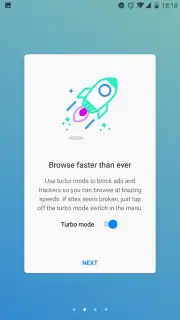
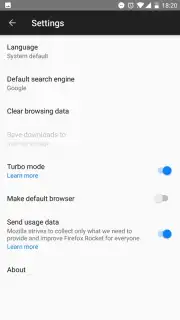
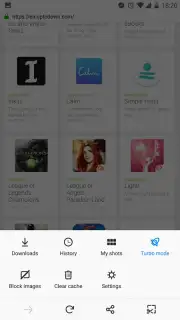
This browser is built on a foundation of intelligent efficiency. The cornerstone is its activated-by-default Turbo mode, which works silently in the background to compress web pages and block disruptive advertising trackers before they even load. You will notice pages render faster, and you stop wasting precious megabytes on autoplay videos and banners you never wanted to see. Beyond just speed, Firefox Lite equips you with practical tools for the real world. The full-page capture function is a standout, allowing you to take a seamless screenshot of an entire article or webpage with one tap. These captures save directly to your gallery, creating a perfect offline library for reading long-form content during your commute or in areas with spotty service. It handles all the browser fundamentals you expect—like private tabs, bookmark management, and quick search—with a streamlined interface that feels instantly familiar yet noticeably lighter.
You will appreciate how this browser transforms your daily browsing into a more controlled and economical activity.
- Turbo Mode & Ad Blocking: Experience accelerated page loads and a cleaner view. This default setting actively blocks data-heavy ads and trackers, conserving your bandwidth and shielding your browsing from unnecessary clutter.
- Full-Page Capture: Document entire web pages, from top to bottom, in a single image. This tool is ideal for saving recipes, travel itineraries, research, or articles to read offline at your convenience.
- Extremely Lightweight: The application demands minimal storage space on your smartphone, making it an excellent choice for devices with limited memory or for users who prioritize performance over bulk.
- Data-Saving Engine: Advanced compression technology reduces the data required to load websites, which can lead to significant savings on your mobile bill, especially on limited data plans.
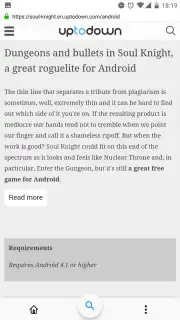
- Essential Browser Tools: Enjoy a complete suite of features including tabbed browsing, easy bookmarking, incognito tabs for private sessions, and a streamlined search and navigation bar.
We suggest trying Firefox Lite to experience a faster, leaner, and more respectful approach to mobile browsing. Consider downloading it if you value performance, data conservation, and a simplified online experience.
Download the Firefox Lite mobile app now.
Disclaimer: This application requires an active internet connection for standard browsing functionality. The app is free to download and use; please review the app store listing for any potential in-app purchase details. Data savings from Turbo mode may vary based on content and network conditions. User discretion is advised regarding offline content. Please be aware of your local data usage policies and charges. Parental guidance is recommended.
Information
| Version | 3.4.1(7492) |
| Developer | Mozilla |
| Requirements | Android Android + 5.0+ |
| Updated | 17.03.2026 |
| Size | 3.13 MB |
| Package | org.mozilla.rocket |
| Signature | e1aac09d304e861568ac34dc54f7752e |
| Architecture | universal |


