

Gif Edit Maker video screenshots (7)



Description Gif Edit Maker video
Turn Any Video or Photo into a Dynamic GIF in Seconds
Tired of clunky, ad-filled editors that make GIF creation a chore? Unlock a seamless, professional-grade animation studio right on your phone. Gif Edit Maker Video transforms the content already on your device—or directly from YouTube—into perfect, shareable GIFs with unprecedented control and speed. This is your all-in-one solution for creating reaction GIFs, highlighting memorable clips, or crafting animated stories from your photo gallery, all without the frustration of complicated software or mandatory downloads.
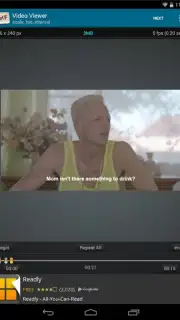
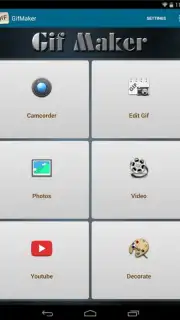
This app provides a streamlined, two-path workflow to suit your immediate needs. For content on your device, simply select any video file or a series of photos from your gallery. Use the intuitive trimming tool to pinpoint the exact segment you want to animate, down to the frame. For endless online inspiration, the integrated YouTube converter is a game-changer; just tap 'Share' on any YouTube video in your mobile browser or app, select Gif Edit Maker Video, and the conversion process begins instantly—no saving the video file required. Before finalizing, dive into a detailed suite of customization tools to ensure your GIF looks exactly as intended.
Core Functionality and Customization Tools
Gif Edit Maker Video delivers precise technical control over every aspect of your animation. The editing dashboard is designed for both simplicity and depth, allowing you to adjust fundamental parameters that define your GIF's quality and file size. You are in complete command of the final output, ensuring it is optimized for messaging apps, social media, or personal collections.
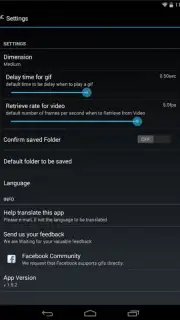
- Frame Rate & Speed Control: Manually set the frames per second (FPS) to create smooth, cinematic animations or choppy, stylized effects, giving you direct influence over the motion and feel of your GIF.
- Resolution & File Size Management: Adjust the output dimensions and compression settings to balance visual clarity with a manageable file size, perfect for ensuring quick sends and saves without sacrificing too much detail.
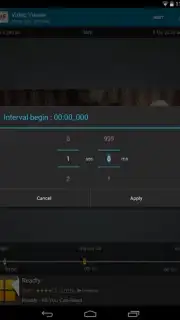
- Precise Video Trimming & Cropping: Utilize frame-accurate sliders to select the perfect start and end points from any video source, and crop the canvas to remove unwanted edges or focus on a specific subject.
The application’s architecture is built for efficiency, processing your edits locally on the device for rapid previews and exports. The direct YouTube processing feature operates by extracting the necessary data stream, converting it on-the-fly without storing the original video file on your phone, which saves valuable storage space. This combination of powerful editing tools and smart, resource-friendly technology makes it a comprehensive utility for daily use.
Don't just watch moments—animate them and share the energy. Get the tool that removes all barriers between a great video clip and the perfect GIF.
Download Gif Edit Maker Video now and start creating in under a minute!
Disclaimer: This application requires an active internet connection for the YouTube conversion feature and for accessing optional services. Some advanced features or removal of watermarks may require in-app purchases. Data usage may apply when processing online video content. The app is intended for general audiences but user discretion is advised for content sourced from external platforms. Ensure you have the necessary rights to convert and share any video content.
Information
| Version | 2.4.1 |
| Developer | enjoytimedev |
| Requirements | Android Android + 4.1, 4.1.1+ |
| Updated | 17.03.2026 |
| Size | 10.5 MB |
| Package | com.infinite.media.gifmaker |
| Signature | 43d2986bb691a856dc67358e94523e88 |
| Architecture | armeabi-v7a |


