


Google Assistant Go screenshots (5)
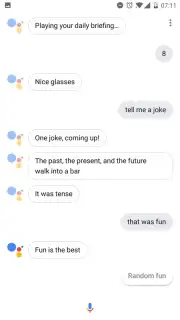
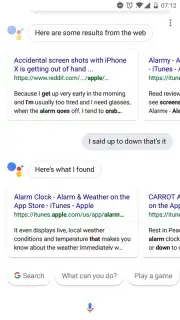
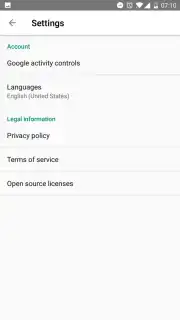
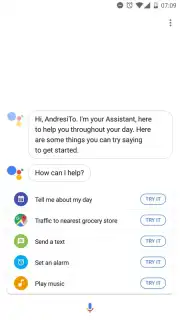
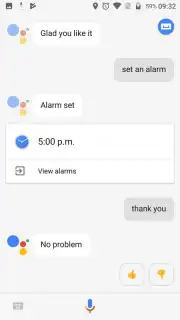
Description Google Assistant Go
A Lightweight Companion for Everyday Tasks
Imagine needing to send a message while your hands are busy, or wanting to set a reminder the moment a thought strikes you. For users of Android devices, particularly those with limited storage or processing power, accessing such convenience often meant compromising on performance. Google Assistant Go addresses this directly, serving as an official, streamlined version of the familiar virtual assistant. It is engineered to deliver core functionality without the resource footprint of the full application, making advanced voice control accessible on a broader range of hardware. The entry point is deliberately simple: activation occurs either through a dedicated launcher icon or the universal "Ok Google" hotword, initiating interaction in under a second.
Core Functionality and Practical Analysis
The application operates on a principle of focused utility. Its primary interface is voice, and it processes natural language commands to execute a defined set of actions tied to everyday device use. You can dictate and send an email or text message to any contact, or initiate a call. Integration with popular platforms like WhatsApp is handled seamlessly through voice command, bridging the gap between the assistant and third-party messaging. Beyond communication, it functions as a hands-free organiser, capable of setting alarms, creating location or time-based reminders, and providing immediate weather forecasts. For media, it can launch music playback in your default app, and even activate the front-facing camera for a hands-free selfie. The absence of advertisements and optimised code contribute to a noticeably swift response time for each query.
The assistant’s flexibility is further enhanced by multilingual support, which is configurable within the app's settings menu. This transforms it from a simple tool into a more personalised aide, capable of understanding and responding in the user's preferred language. It is important to view this not as a replacement for the full Google Assistant with its smart home and extensive third-party service integrations, but as a specialised tool for rapid, voice-first task completion on the go.
- Execute hands-free communication via voice-dictated messages, calls, and WhatsApp.
- Manage time effectively with instant voice-controlled alarms and reminders.
- Access information and media through weather queries and music playback commands.
- Utilise the camera for hands-free selfies using simple voice instructions.
- Personalise interaction with configurable language settings in the app menu.
Start streamlining your daily device interactions and claim your advantage now.
Internet required. IAP available.
Information
| Version | 2.18.0.769468747.armeabi-v7a.31release |
| Developer | Google Inc. |
| Requirements | Android Android + 12+ |
| Updated | 17.03.2026 |
| Size | 15.07 MB |
| Package | com.google.android.apps.assistant |
| Signature | 196743294b32870792a980c6c4c1e96b |
| Architecture | armeabi-v7a |


