


Google Calendar screenshots (9)

Description Google Calendar
Google Calendar: The Definitive Scheduling Engine for Modern Life
Google Calendar is not merely an app; it is the operational backbone for millions of professional and personal schedules. As the official calendar component of Google Workspace, it functions with seamless, silent efficiency, integrating deeply with services like Gmail, Drive, Contacts, and Meet to automate the logistical overhead of daily planning. This application transforms your device into a centralized command post for time management, systematically eliminating the possibility of missed appointments, forgotten birthdays, or last-minute scrambles for flight details. Its power lies not in flashy features, but in predictable, reliable automation and granular control.
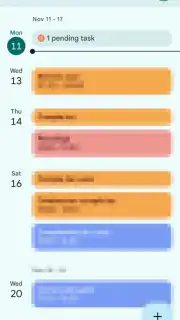
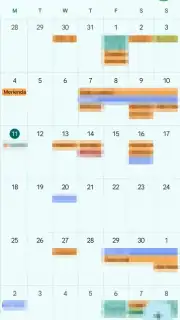
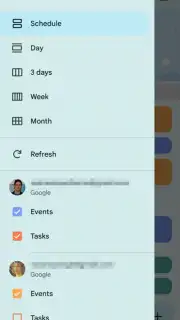
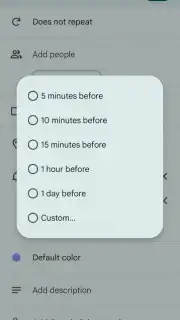
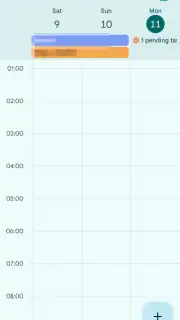
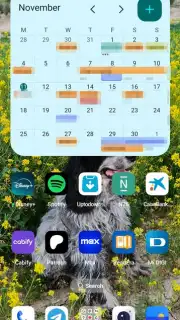
The application’s architecture is built around the principle of unified yet distinct oversight. You can manage an unlimited number of email accounts from a single interface, with each calendar layer—be it for work, personal, or a specific project—visually separated and easily toggled on or off from the side menu. This allows for a clean, focused view of a single stream of events or a composite overview of your entire commitments landscape. The view modes are equally adaptable, offering pragmatic perspectives ranging from a strategic month-at-a-glance layout to a dense, detailed schedule view that breaks down your day into precise half-hour segments. Crucially, the app’s most significant mechanical advantage is its ability to parse confirmation emails from Gmail. Events for flights, hotel reservations, restaurant bookings, and concert tickets are extracted and populated into your calendar automatically, complete with intelligent, context-aware reminders—such as a one-day alert for a flight departure or a one-hour notice for a dinner reservation.
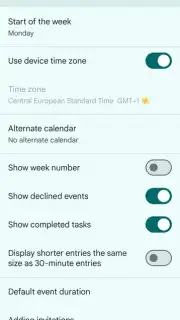
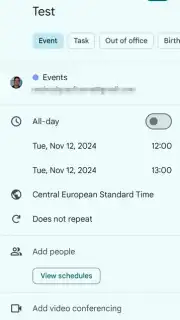
When manual entry is required, the event creation tool provides a depth of customization that rivals dedicated project management software. Beyond basic title and time, you can attach detailed descriptions, assign specific color codes for categorical filtering, set complex recurrence patterns, and directly invite participants—integrating seamlessly with Google Meet to generate video call links. The environment is entirely free of advertising, resulting in a focused, uninterrupted user experience dedicated purely to productivity.
- Multi-Account Orchestration: Manage and visually isolate events from any number of personal, work, or family Google accounts within one unified interface.
- Intelligent Event Auto-Population: The app automatically creates calendar entries with smart reminders from flight, hotel, and booking confirmations in your Gmail.
- Deep Customization & Integration: Manually create rich events with colors, descriptions, recurring schedules, and built-in participant management for Google Meet calls.
This application renders standalone planners and basic scheduling utilities obsolete. It is a professional-grade system that actively works to prevent oversights and streamline coordination. If your life involves managing appointments, deadlines, or travel, this tool is non-negotiable.
Download Google Calendar now and permanently systematize your schedule. Get it immediately!
Heads up: you'll need wifi for initial sync and most automated features. Some advanced Workspace functionalities require a subscription.
Information
| Version | 2026.31.2-966593510-release |
| Developer | Google LLC |
| Requirements | Android Android 8.0+ |
| Updated | 15.09.2026 |
| Size | 32.64 MB |
| Package | com.google.android.calendar |
| Signature | 38918a453d07199354f8b19af05ec6562ced5788 |
| Architecture | arm64-v8a |


