


Google Messages screenshots (21)





Description Google Messages
What is the definitive messaging application for the modern Android ecosystem?
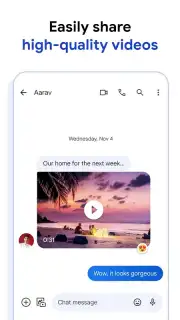
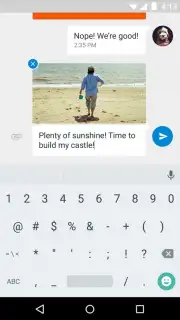
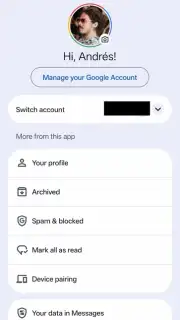
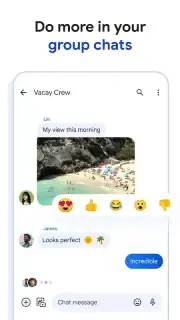
Google Messages stands as the official SMS, MMS, and RCS messaging client developed by Google LLC, designed to be the central hub for all text-based communication on an Android device. It moves beyond the limitations of legacy SMS by implementing the Rich Communication Services (RCS) standard as its core protocol, enabling feature-rich messaging between hundreds of millions of users. This transition means that, where supported, your conversations are no longer confined to 160-character limits and heavily compressed media. You can share high-resolution photos and videos, see typing indicators, and get delivery and read receipts within chat threads. The application also facilitates modern group chats that seamlessly include participants using iPhones, though those users will interact via traditional SMS/MMS protocols. A Google account is required for full functionality, linking your messaging identity to your broader Google ecosystem and enabling potential use across compatible tablets and smartwatches.
Core Functionality and Integrated Tools
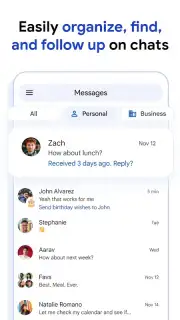
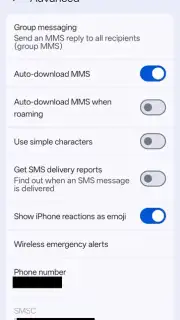
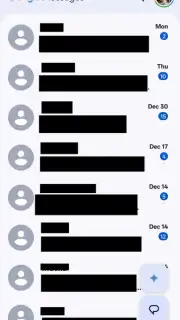
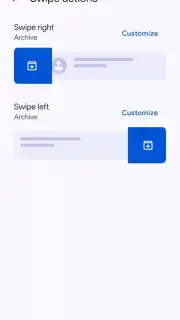
The primary interface is a clean, organized inbox that aggregates all conversations, whether they are conducted via standard SMS, MMS, or the enhanced RCS chat features. A key organizational tool is the message categorization system, which can automatically sort one-time passwords and verification codes into a separate tab, dramatically reducing inbox clutter and making these critical codes easy to find. For media management, the settings offer granular control; within the 'Advanced options' menu, you can configure automatic download preferences for MMS images and set how reactions from iOS users are displayed, either as embedded emoji or as text descriptions. The application serves as a secure, centralized repository for all messages sent to your registered phone number, which is a critical feature for managing the myriad of two-factor authentication codes and service alerts prevalent today.
Detailed Feature Analysis
- RCS-Enhanced Communication Protocol: Facilitates modern messaging features over mobile data or Wi-Fi, including high-quality media sharing, read receipts, and dynamic group chats that function across platforms, effectively replacing outdated SMS/MMS standards where available.
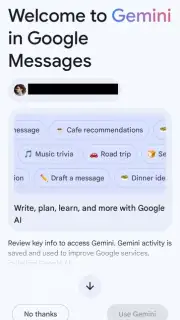
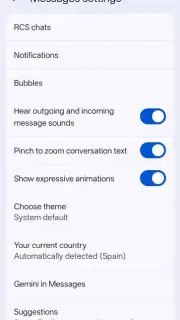
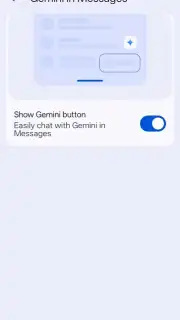
- Integrated Google Gemini AI Assistant: Offers optional, on-device AI tools for message summarization and suggested contextual replies, designed to streamline conversation management; this feature can be fully disabled via the 'Gemini in Messages' toggle in the Settings menu.
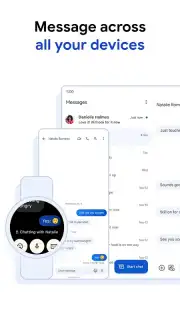
- Cross-Device Synchronization & Management: By leveraging your Google account, the app allows for a unified messaging experience across Android phones, tablets, and Wear OS devices, with all messages securely stored and accessible from your primary device.
Configuration and Privacy Considerations
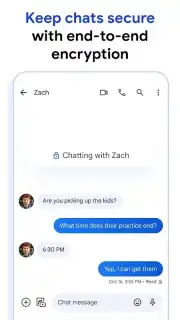
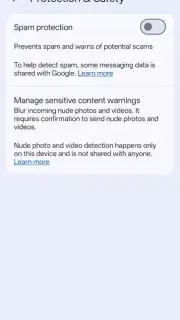
Initial setup involves verifying your phone number and logging in with a Google account, which authenticates the device and enables advanced services. The settings panel provides extensive customization, from notification controls per conversation to chat bubble aesthetics and backup options to Google Drive. As an official Google application, it operates under the company's stated privacy and security policies, with messages transmitted via RCS benefiting from end-to-end encryption in one-to-one conversations when both parties use Google Messages. The application itself contains no advertising, and its development is focused on providing a reliable, core system utility for Android. Performance and feature availability, including RCS, can vary based on carrier support and regional rollout schedules.
Get the official messaging client and upgrade your communication experience today.
Download mobile app now
Disclaimer: This application requires an active internet connection for RCS features and synchronization. Standard carrier messaging rates may apply for SMS/MMS. Some features may require specific device, carrier, or regional support.
Information
| Version | messages.android_20260814_00_RC00.phone_dynamic |
| Developer | Google LLC |
| Requirements | Android Android 8.0+ |
| Updated | 15.09.2026 |
| Size | 114.44 MB |
| Package | com.google.android.apps.messaging |
| Signature | 0980a12be993528c19107bc21ad811478c63cefc |
| Architecture | arm64-v8a |


