

Gspace screenshots (8)
Description Gspace
Ever felt locked out of your favorite apps and services on your Huawei device? That familiar frustration when you can't access the Google ecosystem that so many apps rely on. What if there was a key to unlock that world without complex modifications to your phone?
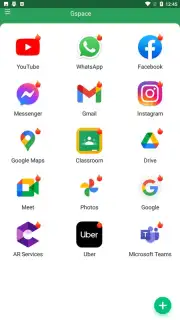
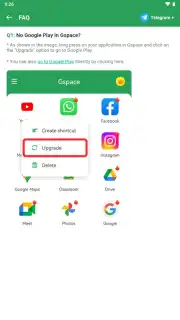
Gspace provides that key. This application creates a dedicated, secure environment on your Huawei device where Google applications can run seamlessly. The core advantage is its independence; you do not need to install Google Mobile Services (GMS) on your device itself. Gspace comes with essential Google applications pre-loaded, creating a self-contained hub for your Google-dependent apps. Within this space, you can clone and run applications as if your smartphone had full Google support, bypassing compatibility hurdles.
The functionality extends beyond simple access. You can run multiple applications simultaneously within Gspace, enhancing multitasking. A significant feature is the ability to manage dual accounts. This allows you to use two separate accounts in the same application, whether it's a Google service like Gmail or a social platform like Instagram, all within a single, organized interface.
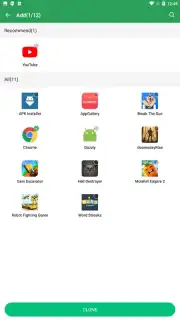
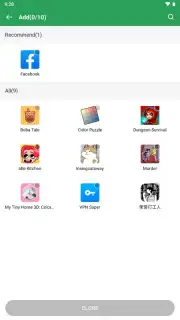
If a specific app you need isn't already listed, you have the option to add it manually. A crucial point to remember is the link between the cloned version and the original; if you delete an application from your device's main storage, its cloned counterpart within Gspace will also be removed.
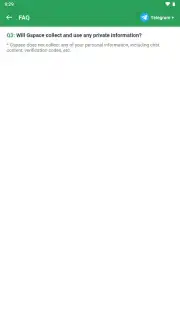
To perform its functions, Gspace requires certain permissions, such as access to phone calls, location, and device storage. These permissions are necessary for the tool to write data to your device and to accurately emulate the environment that the cloned applications need to operate. When cloning larger applications, be mindful of storage space. The process can consume significant memory, with requirements potentially ranging from 100 MB for lighter apps to several gigabytes for more comprehensive software suites.
- Google Ecosystem Access: Run popular Google applications and services on Huawei devices without installing GMS directly on your phone.
- Application Cloning: Create working copies of your apps within a secure, isolated Gspace environment.
- Dual Account Support: Operate two separate accounts simultaneously in the same application for both Google and non-Google apps.
- Multi-Tasking Hub: Launch and use several different applications at the same time within the Gspace interface.
- Flexible Library: Manually add applications that are not pre-loaded into your personal Gspace library.
- Permission Management: Utilizes standard device permissions to emulate a full app environment for stable operation.
Stop limiting your device's potential. Unlock the full app universe and streamline your digital workflow today. Download Gspace now and transform your Huawei experience immediately!
Internet required. IAP available.
Information
| Version | 2.3.3 |
| Developer | JR TECHNOLOGY LIMITED |
| Requirements | Android Android + 4.4+ |
| Updated | 17.03.2026 |
| Size | 14.7 MB |
| Package | com.gspace.android |
| Signature | e8a704636fee5e0ad39d1e4a46a38434 |
| Architecture | armeabi-v7a, arm64-v8a |


