

Hexlock screenshots (5)
Description Hexlock
A Granular Review of Hexlock: Context-Aware App Security Without System Overhaul
Hexlock provides a method for granular, profile-based application locking that operates independently of an Android device's native permissions system. The core proposition is the creation of multiple security contexts—termed 'profiles'—that can be activated manually or triggered by location, allowing for dynamic access control without repeatedly configuring individual apps. This review examines its operational mechanics, interface logic, and practical implementation for user privacy.
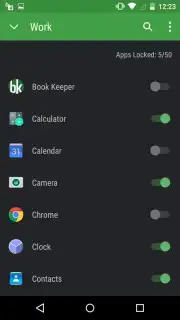
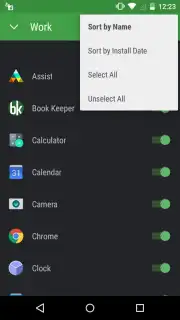
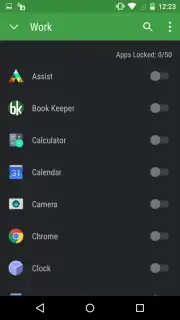
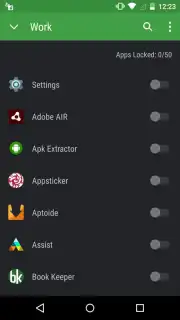
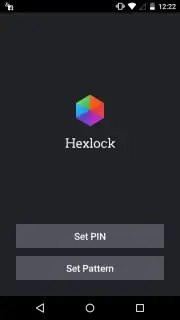
The initial setup mandates the creation of a master graphical pattern or PIN code, which serves as the single authentication point for managing the application's core functions. Post-authentication, the user interface presents a list of all installed applications, each with a toggle switch for inclusion into any created profile. The primary functional layer is the profile manager, where users can define distinct sets of locked applications—for instance, a 'Home' profile with minimal restrictions and a 'Public' profile that locks messaging clients, gallery, and email applications. Geolocation-based profile switching is a configurable option, automating the transition between these predefined security states based on GPS or network location data.
A distinct operational mode is the global one-touch lock, which overrides all profiles to instantly secure every application listed within Hexlock. The application employs a non-intrusive notification or a home screen widget to facilitate rapid activation and deactivation of this global state or any specific profile. It functions as an overlay system; when a locked application is launched, Hexlock intercepts the launch command and presents its own authentication screen. Successful entry grants temporary access to that specific app until it is closed or the device is locked, at which point the security rule is re-applied.
- Location-Aware Security Profiles: Create and auto-switch between custom sets of locked apps (e.g., Work, Social, Home) using geofencing, eliminating manual toggling.
- Universal One-Touch Lock & Widget: Instantly lock all protected applications system-wide via a persistent notification toggle or home screen widget for immediate privacy.
- Granular Per-App Selection: Individually select any installed application for inclusion in any security profile, allowing for highly specific access control policies.
The utility of Hexlock is most apparent in shared device scenarios or situations where physical control of the phone is temporarily ceded. It adds a compartmentalized security layer that is particularly focused on preventing casual snooping within applications that may already be logged in. Its architecture is that of a management layer, not a deep system integration, which results in broad compatibility but relies on its own persistent runtime service to maintain interception capabilities.
Download the Hexlock mobile app now to activate profile-based security. This is a limited-time offer for unrestricted access to its geofencing and one-touch lock features—configure your privacy layers today before the next update alters the free tier parameters.
Disclaimer: This application requires a persistent internet connection for initial license verification, geolocation services for profile automation, and ongoing background operation to maintain app-locking functionality. It may offer in-app purchases for premium features such as an ad-free experience or advanced profile options. The software requires accessibility service permissions to detect app launches and display its lock screen overlay. Data usage includes communication with authentication servers and location data processing. It is intended for personal, non-commercial use. The developer is not responsible for data loss or compromised access due to forgotten credentials or OS restrictions. Network charges may apply. Use is subject to the end-user license agreement.
Information
| Version | 2.0.137 |
| Developer | Liquidum Limited |
| Requirements | Android Android + 6.0+ |
| Updated | 17.03.2026 |
| Size | 11.85 MB |
| Package | com.liquidum.hexlock |
| Signature | bf130c7e0cfc1e801e1b10180c33c226 |


